


Guilds return in World of Warcraft: Forever, and Blizzard wants to recapture the excitement of hopping into the game and dragging your guildmates to the occasional raid, a good leveling session, or the plain old shenanigans. While guilds are already a staple in most MMOs and other versions of WoW, it’s still refreshing to see Forever return with a classic iteration of a staple social experience.
But since Forever is indeed a remake of Classic, it also comes with the sheer difficulty of finding a Guild you could be a part of. There’s really no way to tell if a Guild is available for applications, or maybe if a Guild is strictly friends-only. Then again, there are creative ways where you can score a Guild membership for your character.
Table of contents
No Guild Finder (for now?)
Historically, WoW players have always been able to find Guilds through the Guild Finder, launched back in Cataclysm, as well as the improved Guild & Communities Finder back in 2019. Forever being a remake of the OG WoW means going back to a time where none of these tools existed, so it’s back to “manual” searching for WoW: Forever players.
As of writing, there are no WoW: Forever add-ons specifically to help find Guilds in the game. Sites like CurseForge do have a plethora of add-ons that help with Guild management, but that’s after you make your Guild.
Finding a Guild the old-fashioned way
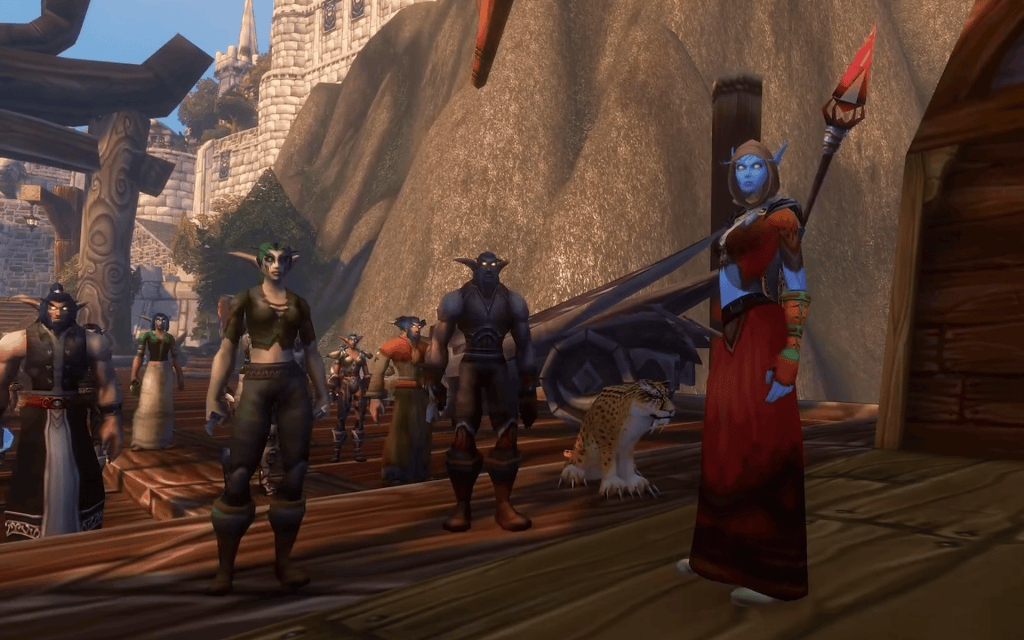
Cataclysm launched the original Guild Finder back in 2011, so players had around seven years of finding guilds with no built-in tool to help them. Therefore, WoW: Forever players can also resort to old-fashioned ways of finding prospective Guilds.
- Joining chat is the way: The best and most common way of finding a Guild to join in Forever is joining a capital city’s General and Trade chat. When you enter a trade district, you automatically get sorted there. You can ask here if there are any Guilds that are open to new members, and chances are there will be some responses. If not in the chat itself, you may receive the occasional whisper from a recruiter.
- Blizzard forums: The Blizzard Forums has a dedicated section for Guild Recruitment, so you can check out any prospects there. Most recruitment posts indicate what their preferred playstyle is, when their raiding schedules are, and other things you might need to know before expressing an interest in joining.
Modern ways of finding the perfect Guild
Even without the Guild Finder, WoW: Forever players have a plethora of social avenues to form communities and find like-minded players for their Guilds. Forums and community messaging apps are perfect for guild recruitment, especially if they have dedicated group chats for Forever. Example avenues are:
- Reddit: You can look for subreddits dedicated specifically for guild recruitment, such as r/wowguilds or your preferred subreddits. There are likely the occasional threads in other subs that encourage others to promote their Guilds, so you can also look for your perfect group there.
- Discord: If you’re already a part of a Forever-dedicated server, there are probably channels there where you can find recruiters inviting players to their Guild. On the off-chance you’re not yet part of them, Reddit compiled a list of Forever Discord servers you can join.
Reddit and Discord are already great places to stay connected with fellow players or even get tips on things like PvP and builds, so it’s no surprise they are also great platforms to find Guilds to join.
Some reminders when joining
There’s nothing wrong jumping to and from Guilds if you feel like the one you’re in doesn’t really suit your needs anymore. But to avoid those awkward situations when you do need to type “/gquit” in the chat, then remember these when joining:
- Avoid phishing scams: On the off-chance that you found an interesting Guild, just be wary of any phishing scams. Your prospective Guild should not ask for any personal information. They should not ask for access to your account. And you should not pay for the privilege of joining the Guild. You may read more from this Blizzard forum post.
- Ask about their priorities and long-term plans: Joining a Guild is almost always fun, but some Guilds are stricter than others. Ask if they’re focused on a certain style of gameplay, if there are “obligations” expected of members (maybe you have to raid every week), so you know what you’re getting into and you’re going to have a good time
- The game will phase you closer to guildmates: Remember, if you party up with your guildmates, you will still get phased into the layer where your party leader resides. This is in line with the game wanting you to play in roughly the “same” area as your comrades
Read what’s behind the latest news in gaming (with a bit of snark) by subscribing to the Destructoid Checkpoint newsletter!
Make a Guild with a Guild Charter
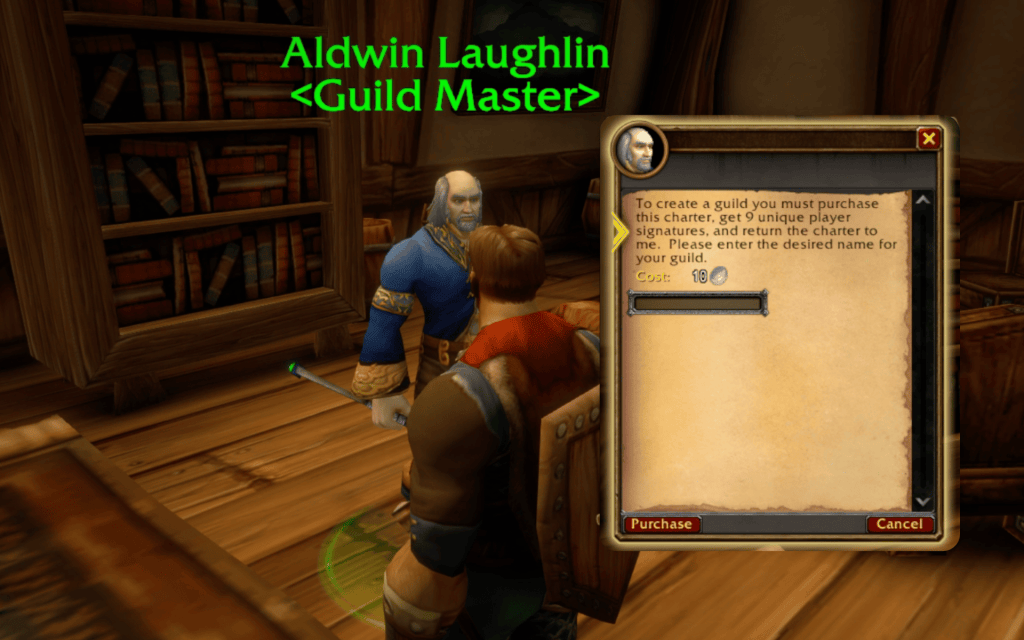
Maybe you don’t want to be part of a Guild. Maybe you found some Guilds taking the game too seriously and you want something chill, or some Guilds might be “too” chill for your liking. That’s probably when you should consider making your own Guild.
If you want to create your own Guild, it has to be something certified by your Faction as 100% legit. This is quite unlike other MMOs where you can just make a Guild easy peasy, or just pay some currency to get the privilege. Instead, you need to get something called a Guild Charter.
To do this, head to your capital city. Ask a guard to help you locate your Guild Master. From here, you can ask them for a Guild Charter, and they’ll sell it to you for 10 Silver.
Be careful if you’re doing this purchase if you’re low-level, since that 10 Silver is already the current life savings of other characters. But once you’ve decided you really want to become a future guild founder, then proceed with the purchase and type in your Guild Name.
This won’t stop there, though. Before your Guild actually becomes legit, you need to find 10 Signatures first.
Getting Signatures can be complicated
Unlike other MMOs, WoW: Forever takes a page from Classic’s rulebook and demands Signatures from other players to co-found your Guild. As with Classic, you also need 10 (!!!) Signatures in your Guild Charter. And if you’re not playing with friends who are ready to be your co-founders, it’s not easy to convince random people to just hop in and join someone’s Guild.
Once you find a player willing to help, you just right-click their name and ask them for their Signature. A prompt will appear on their end where they can sign your Guild Charter.
When you finally get your Signatures, you must rush back to your capital city and turn in the signed Guild Charter. Only then do you get your guild. But first things first, how exactly do you find Signatures?
- Ask around: But do not spam! Chances are there are more than enough people in Stormwind or Orgrimmar who aren’t in Guilds that you can ask for help being a co-founder.
- Go to low-level areas and ask there: The best place to find people not already in Guilds would be in the starting and low-level areas. This is the best place to start requesting Signatures from people, especially those you meet. Technically, you can just ask random people for the Signature right away, but we want to be courteous and at least ask for permission first.
- Give a bit of allowance: Another method you could use to find Signatures would be giving something in return. Maybe 50 Copper, some Bags, or other useful items crafted with your Professions to make signing worth their time.
Guild membership limits
Before you run off to Stormwind to grab that Guild Charter, just remember that creating a Guild in Forever does have its fair set of limitations. Huddle with your prospective guildmates and remember the following:
- Ruleset players only: You can only create a Guild within your chosen Forever Ruleset, so make sure you and your friends have decided where to play
- Faction members only: You can only have members of the same Faction within your Guild. You get your Guild Charter in a capital city associated with your Faction, which is the flavor element for this restriction
- Size limit: A Guild can hold a maximum of 1,000 characters. This might not seem a lot at the moment, but if all members can invite anyone, your guild size might fill up quickly
Manage your Guild Settings
After you create your Guild, you practically have access to a mini-Faction within the Forever experience. As the leader, you (and a select few you appoint) have access to some of the Guild’s core settings. You can adjust these at any time, but the basics you should pay attention to are the following:
- Message of the day: Just like in the OG days, you can also set up a message for the day for everyone to read. Get encouraging, or give them reminders!
- Set up Ranks: The Horde has a Warchief, and your Guild can have whatever titles you want as well.
- Set up Rank Permissions: There is a separate setting where you can customize the permissions of every Rank in your Guild. This is important so you know who else can promote other members, tinker with settings, and other management stuff
- Invite limits: You can set up limits as to who can invite other players to your Guild. Maybe all members can invite other characters, or just a select few
- Guild Tabard: You may create and customize a Guild Tabard later on. We’ll update you once we have more information
Connect your WoW: Forever Guild to Discord
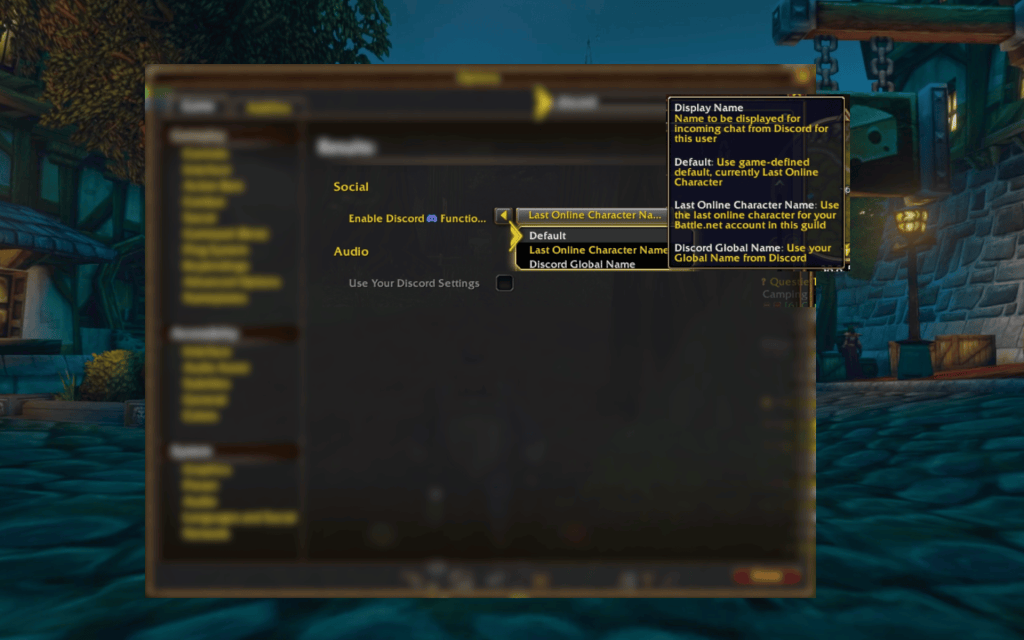
You might recall the suggestion to go to Discord to find a guild to join, or maybe even find potential guildmates. That’s because you can actually connect your WoW: Forever account to your Discord account as well. Doing this is pretty simple, and it’s all done from your settings:
Link your Battle.net account to Discord
First, you need to connect your Discord to your Battle.net account. To do this, go to your Discord account and click “User Settings.”
Under “Connected Apps,” you will see “Add a new connection,” and you can click the Battle.net icon there.
It will open Battle.net, where you can click “Continue,” and it will send you back to Discord, where you can “Authorize” the connection.
After that, you will be redirected to your settings, where you can confirm the connection.
Enable the Discord Functionality in WoW: Forever
Back in your WoW: Forever session, go to your “Options” and find “Social” under “Gameplay” or via the search.
It will show the Enable Discord Functionality toggle. Connect so you can link your Discord to your specific WoW account.
Below that setting is an option to choose how your name is displayed in the chat connected to Discord. It could be your Discord Global Name or your Last Online Character Name.
Connect Discord to your Guild Chat
This part is best done if you’re the owner of the Guild, so you can set this up from scratch. Over in the “Guilds & Communities” tab, you can go to your “Guild Control” and check out Discord Settings.
From there, you can choose which Discord Server you want to connect to your Guild. And after that, you can select which specific channel you want to add to your Forever Guild.
When you link the two, the Discord channel overrides the Guild Chat by default. But there’s an option to separate the Discord chat as a separate channel from the Guild Chat.
Now, all your messages in WoW: Forever in that specific chat can be seen live on Discord. Likewise, messages from Discord will be seen back in WoW: Forever, with a nifty Discord icon to denote that the message has been sent from Discord specifically but read in-game.
Create a dedicated WoW Forever In-Game Channel
While it’s possible to just separate your Discord chat from your Guild Chat, it might be economical to fix things over on Discord so that you have a dedicated guild channel for in-game players. You can lock that channel as view-only to non-players, so only guild members can actually chat there.


