


World of Warcraft: Forever marks our return to Azeroth in the good ol’ days, and nothing says “good ol’ days” better than hopping into CurseForge to look for this month’s best add-ons. Except nowadays, World of Warcraft: Forever AI add-ons are just as common as regular ones.
And there’s usually no telling who made what. Was it a developer with an AI assistant? Maybe it’s someone and their grandma. More importantly, was it created with the same attention to detail OG devs put into their add-ons?
If it seems hastily made and just the 100th copy of something else that exists, chances are you’re dealing with AI slop. So let’s choose the best handcrafted add-ons for our new journey.
Zug zug, why not AI add-ons?
Of course, not all add-ons made with (or with the help of) AI are automatically AI slop. After all, AI tools are slowly becoming a part of professional workflows in industries like coding, with human-in-the-loop ensuring shipped products function as intended.
But this is exactly where the risk of using AI add-ons lies. Just because today’s hip model (that hasn’t gone rogue) made a “working” add-on doesn’t mean it’s 100% production-ready. At the end of the day, it’s up to each person with AI add-ons. But remember:
- Lack of proper testing: Developers with coding experience know proper QA when releasing software. There’s no guarantee that AI add-ons have the same oversight
- No guaranteed maintenance: There’s no way to know whether a user will fix their AI add-ons if there are mistakes/bugs
- Potential security risks: You have to download an add-on before you can use it. There’s no way to know if an add-on was designed to do something malicious on the side
- No guarantee that it doesn’t break Blizzard TOS: Using an add-on that breaks Blizzard’s terms of service can also get you banned
Use these add-ons instead
Players have been making WoW add-ons since 2004 (others claim since the Beta of Vanilla, so serious deja vu vibes). And many devs have been in the game for years, so they know add-ons in and out. It’s no surprise some of them already made add-ons we could use with WoW: Forever if we’re a bit nervous about AI ones:
Questie
- Developer: TheCrux_BB
- Get it at CurseForge
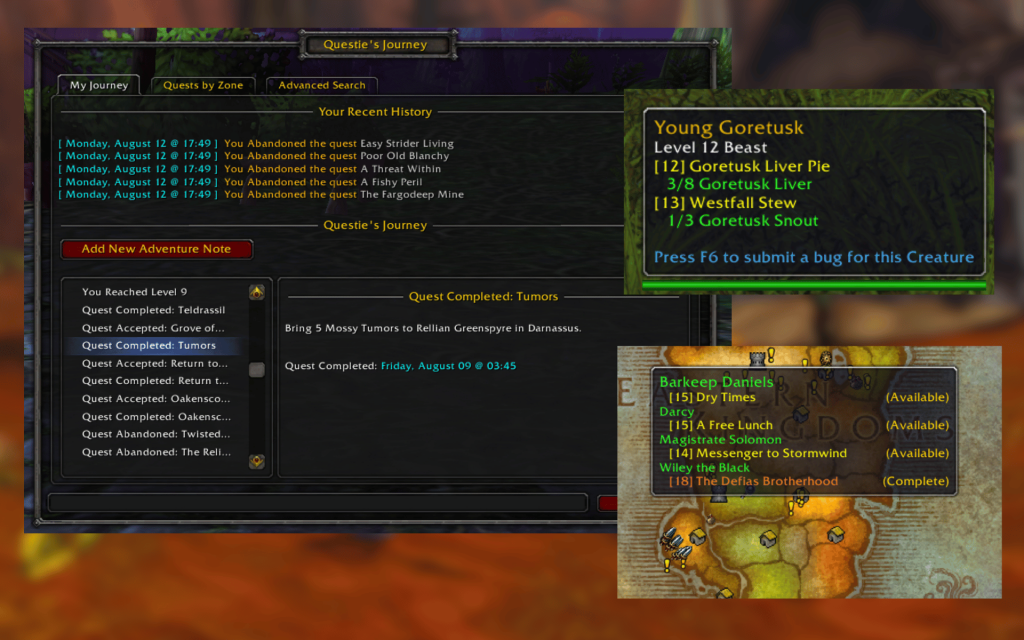
Anyone who’s ever handled an alt knows that the go-to speed-leveling strategy is to grab as many quests as you can in an area and turn them in all at once for that sweet XP rush. But while the map already reveals where the general area of a quest is located, there’s really no in-game tool that lets you know which quests are still available in that area. That’s where Questie comes in.
This add-on enhances the map so that hovering over a zone will give you an overview of the quests you completed (and, most importantly, those that are available) in that region. There’s even a “Questie’s Journey” window that shows you a list of quests by zone and even an advanced search option.
Dialogue UI
- Developer: Peterodox
- Get it at CurseForge
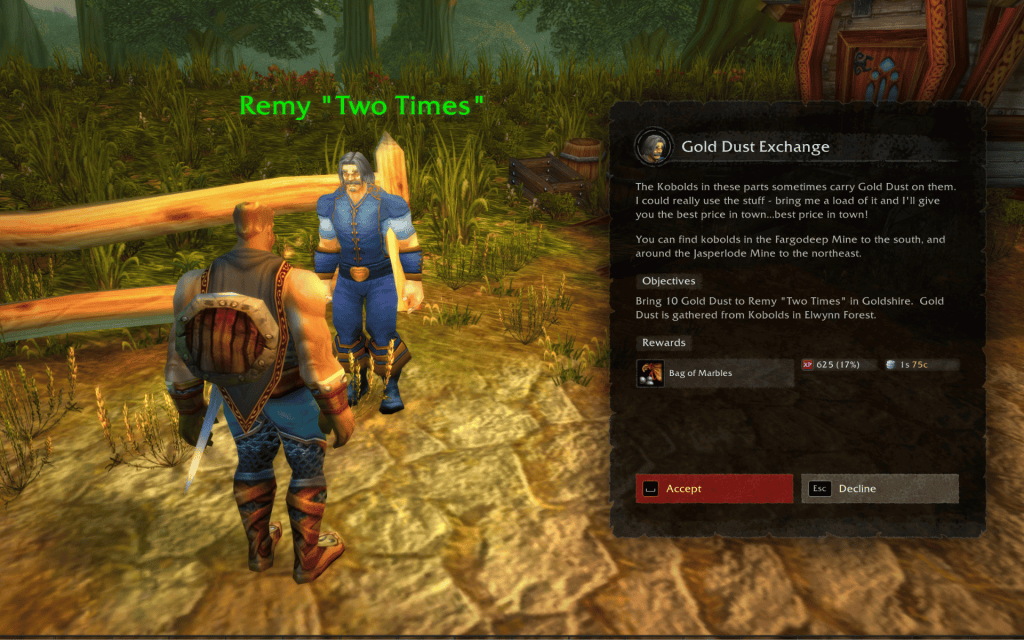
Being a reimagined take on WoW‘s original 2004 release, it’s no surprise WoW: Forever also kept its traditional UI as part of the core experience. While Blizzard did a lot of work modernizing the UI, there’s a lot to be desired in the visuals department.
And if you’re looking for a more pleasant UI to fit the game’s updated graphics, Dialogue UI is the way to go. It adds a touch more dynamism to dialogue options, with unique looks for NPC dialogue and readables on paper and metal. You can adjust camera motion for immersion, adjust font size, copy dialogue, and even display the lore of items you pick up.
DialogKey – Numy Edition
- Developer: Numy
- Get it at CurseForge
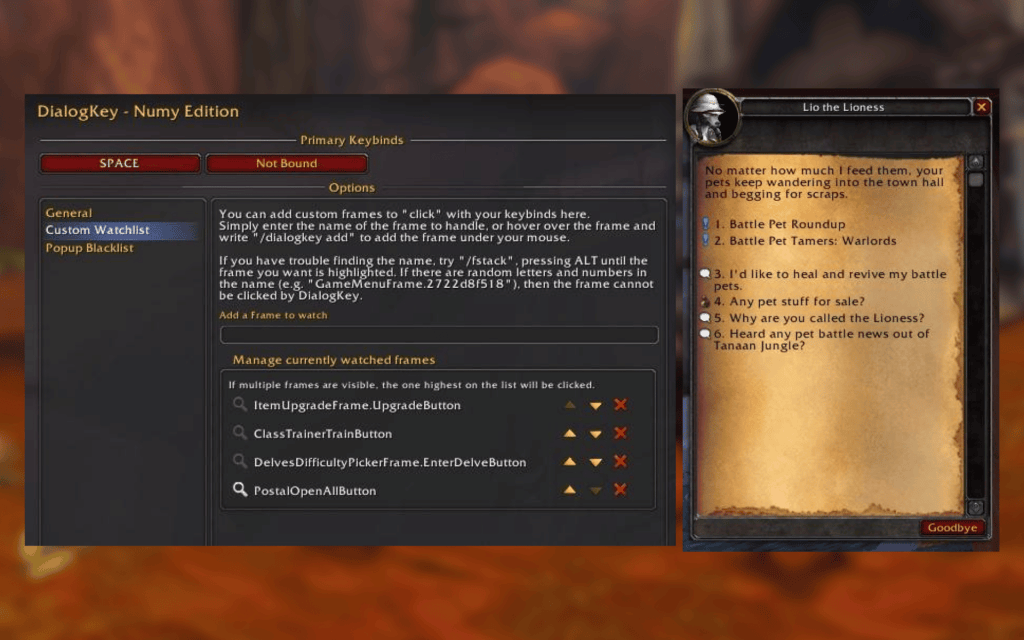
If we’re in a grinding mood, sometimes it’s a hassle to click anything other than a target on the screen. And even then, you probably set a keybind to attack a particular target. So sometimes just clicking an NPC and dialogue separately can be a hassle.
This is what DialogKey – Numy Edition wants to get us away from. Basically, it lets us bind NPC interactions to keyboard buttons. Maybe you want a one-button-fits-all option for interactions, or press a number to select a dialogue option.
What’s Training?
- Developer: Fusionpit
- Get it at CurseForge
The grind from Level 1 to 60 will be tougher in WoW: Forever, especially now that Blizzard wants to focus more on horizontal progression. So instead of an ever-increasing level count, we’re expecting to get side content, endgame dungeons, and other opportunities to maximize our builds.
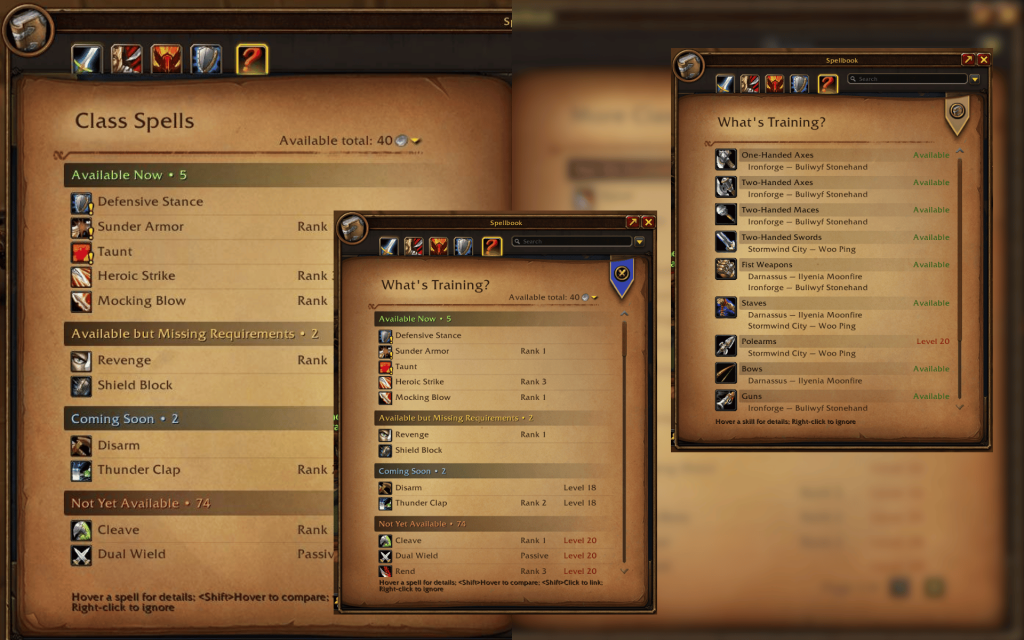
And if you’re too busy on the grind to manually check whether it’s time to train your spells or not, then What’s Training? can make that much easier for you. It enhances the UI to let you know which spells you can upgrade now, soon-ish, and far ahead, including which levels you’d have to watch out for.
Enhance QoL
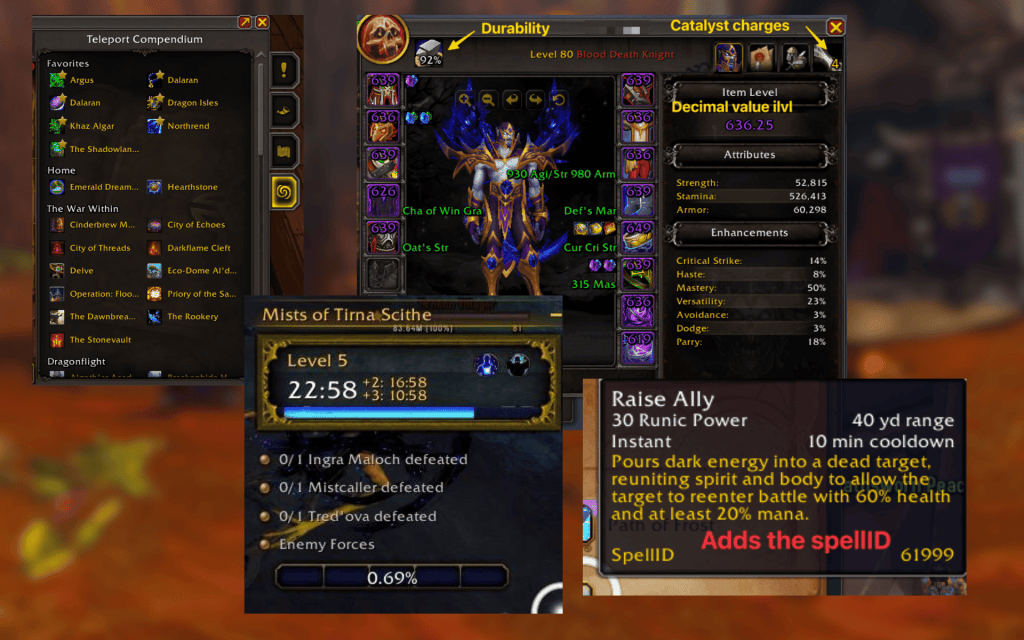
- Developer: R41Z0R
- Get it at CurseForge
WoW has been around for more than 20 years, so naturally there are just some tiny things we wish could’ve been better. But there’s just so much Blizzard could offer in terms of settings before they become a whole host of minute details we can adjust.
On the off-chance that tinkering with hundreds of options is not a problem with you, then Enhance QoL is the add-on to get. Simply put, the add-on provides more minute adjustment options to the game’s quality-of-life features, with options for character inspection, inventory management, combat, mini-map and navigation, and more.
Read what’s behind the latest news in gaming (with a bit of snark) by subscribing to the Destructoid Checkpoint newsletter!
WoW: Forever might already be doing that
Not to mention, the release of WoW: Forever also comes with built-in features that we usually had to use add-ons to get. These include:
- Edit Mode already gives you unprecedented access to customize your UI elements, from action bars to your frames and minimap
- Cooldown Manager lets you assign and move tracked cooldowns, buffs, and spells
- Accessibility Settings contain a wealth of adjustable settings to make your experience as comfortable as possible, from cursor size, camera shake, motion sickness, colorblindness, and more
AI slop add-ons everywhere
While it’s true that not all AI add-ons are slop, the disturbing number of them that are makes players uninclined to use them. Anyone can use AI to make a WoW: Forever add-on, and there’s even one that lets you make add-ons while playing the game.
Players in the “r/WoWForever” subreddit already expressed concerns about low-effort AI-coded slop add-ons throughout the beta.
You can go to the WoW: Forever page at CurseForge, sort by creation date, and you’ll see new projects pop out every few refreshes. Some honest creators include AI disclosures in the descriptions, but many don’t. Others also called out a subreddit posting trend where a user would preface “I made this add-on…” as a sign an add-on was created by AI.
“For me, it isn’t that AI made it. It’s that this person and 15 others have made slightly different variations of the exact same addon,” u/blukraken wrote in one of the posts. “How many of y’all are actually testing your addons, having another AI try to break them, looking through existing GitHub repos, or researching what other developers are doing? What would make me trust that you’d even continue iterating and fixing bugs that were found?”
A part of a bigger AI slop problem
In a 404 Media report, Sildri Silentcrest (Warcraft Logs CEO) told Joseph Cox that Warcraft Logs is introducing a paid commercial key, as their team noticed more users scraping their data and using their API for their own projects without credit and/or proper commercial licensing.
It doesn’t help that we’re already facing a similar crisis in game development as a whole, where a marketplace as big as Valve is littered with AI slop games while promising indie titles are hit with AI clones before they even get released.
How to get and install add-ons in WoW: Forever
When you get an add-on you want to use in WoW: Forever, installing it is easy. The installation process depends on how you want to approach it:
How to get WoW: Forever add-ons using CurseForge
You can open the app and select World of Warcraft. Find the “WoW Forever” tab via the dropdown or by adding it from its list or scanning your computer. From there, you can see add-ons you can use. Select anything you like and click “Install.”
If you want to install manually
Find the .toc file of your add-on. Copy, cut, or move it to your local installation directory. It should be something like World of Warcraft/_forever_/Interface/AddOns.
From there, just open WoW: Forever, go to your options menu, and click “Add-ons.” Your recently installed add-on should be there. Enjoy!
World of Warcraft: Forever launches on November 4, 2026.


