


Once you unlock Jack Sparrow, he helps you find and learn how to sail a Pirate Ship in Disney Dreamlight Valley The Keepsake Sea. One of the unique mechanics tied to this vessel is salvaging and scavenging for treasure.
This feature is unlike anything you’ve experienced before, so figuring out how to unlock and get to work using it can be tricky. If any part of the process is giving you trouble, here’s how to salvage and scavenge for treasure using Pirate Ship in Disney Dreamlight Valley.
Table of contents
How to unlock Pirate Ship Salvaging in Disney Dreamlight Valley
Pirate Ship salvaging is unlocked as soon as Jack Sparrow fixes up your ship and has you board it for the first time, which happens during The Enchanted Ship quest. Although you unlock this mechanic as soon as you’re able to board your ship, you’re not actually taught how to use it at this point.
Instead, you’re meant to work through Jack Sparrow’s Bring Me That Horizon mission to familiarize yourself with all aspects of the Pirate Ship. This is a side mission that’s not part of the main storyline, though, so it’s easy to overlook and put off to the side, especially if you’re focused on progression.
Luckily, you don’t have to complete this quest to use salvaging and scavenging, which is great since you need this skill for the Trial of Resilience. If you want to learn how this feature works without diving into Jack Sparrow’s quest, here’s a full breakdown of how it all works.
Read what’s behind the latest news in gaming (with a bit of snark) by subscribing to the Destructoid Checkpoint newsletter!
Pirate Ship salvaging and scavenging walkthrough in Disney Dreamlight Valley
- Summon and board your Pirate Ship. You can summon your vessel at any dock by ringing the golden bell located at the end of it. The salvaging gameplay feature is only available while you’re on board, so start by finding your ship and setting out to sea.
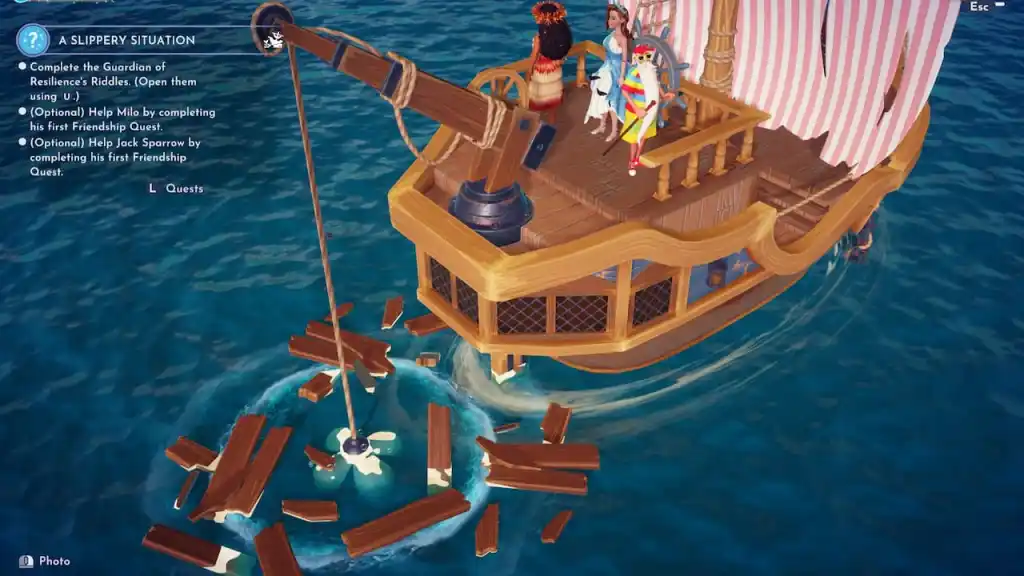
- Find a salvaging ripple spot. Sail your boat around the open water until you spot a salvaging ripple spot. You’re looking for a large swirling whirlpool with bubbles popping up out of it and wooden planks scattered around it. You can find them anywhere your Pirate Ship can sail. A particularly great area where they seem to spawn and respawn often is the ocean region north of Galleon Gulf.
- Line up your salvaging claw with the bubble spot. This is the trickiest step, as precision is key. Move your ship around until the large, dark grey claw hanging off the back of your ship is hovering right over the salvaging spot. You can only go salvaging and scavenging for treasure when the claw is properly lined up, so maneuver your ship carefully to make this happen.
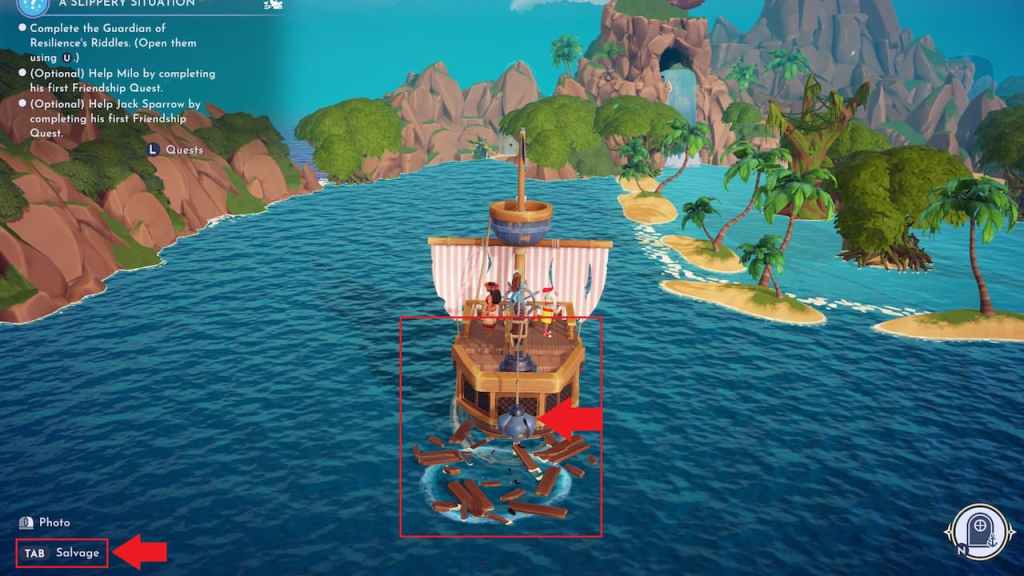
- Choose the salvage option. You’ll know you’ve correctly lined the claw up if the salvage option becomes available to use. The button for it is marked in the bottom left corner, and as soon as you’re in a valid position, it’ll light up white rather than being greyed out. If the button is greyed out, this means the claw isn’t hanging over the bubble spot properly, so move around a bit and try again.
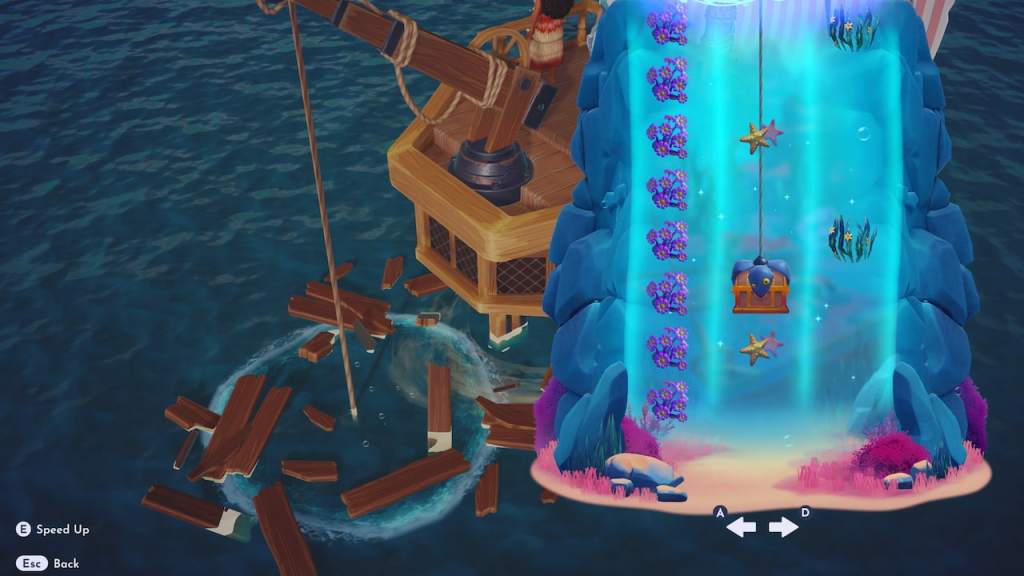
- Successfully complete the salvaging minigame. Once the claw is lowered, a special salvaging game will pop up. To beat this game, you need to move the chest back and forth to avoid all obstacles along the way. It takes a bit of getting used to, but it’s not too tough to do, so you’ll quickly get the hang of it.
Salvage and scavenge for treasure using Pirate Ship in Disney Dreamlight Valley
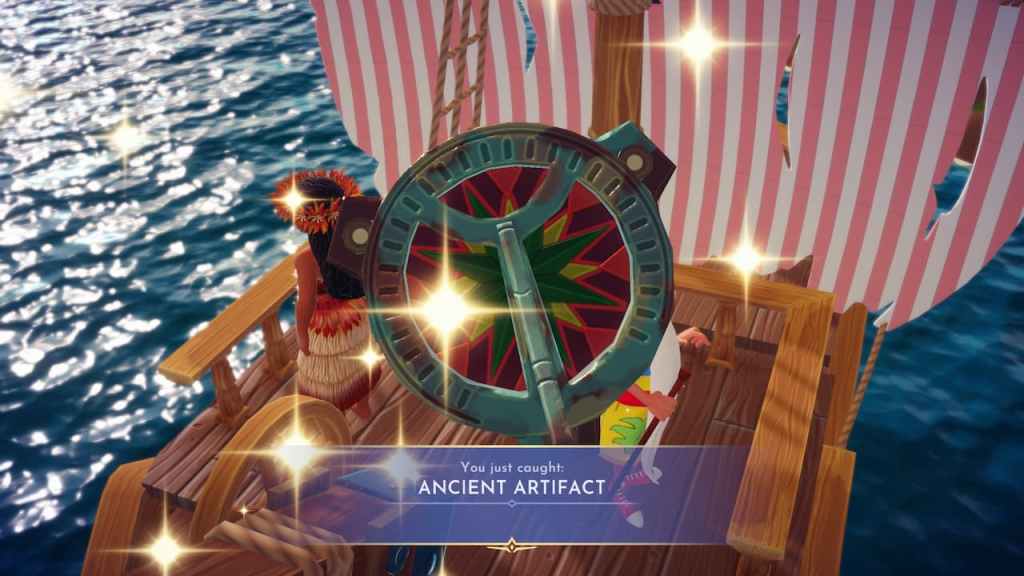
To complete any tasks you encounter that ask you to salvage or scavenge for treasure using Pirate Ship, you need to catch any valid treasure items by completing the salvaging minigame. Just about anything you can catch using the Pirate Ship counts for these types of tasks, including items like an Ancient Artifact and green chests containing Merfolk customization features.
You can’t salvage here message meaning in Disney Dreamlight Valley
If you see the “You can’t salvage here” message while attempting to salvage and scavenge for treasure aboard your Pirate Ship, this means your claw is not properly lined up with the bubble spot, or you are attempting to use this feature in open water. You can only salvage on valid bubble spots, and your claw must be right over one for it to work, so follow the steps outlined above to correctly activate the salvaging feature so you don’t run into this error message.


