


Capes are one of the rarest items you can get in Minecraft, as they only occasionally become available through special drops and promotions. To celebrate the launch of Minecraft Dungeons 2, the Aurora Cape has been added to the game.
The process for unlocking each cape looks a bit different, and generally requires you to complete some very specific tasks outside of the game. Capes are always only available to claim for a limited amount of time, so if you’re hoping to add this one to your collection, here’s how to get the free Aurora Cape in Minecraft.
Table of contents
How to unlock Aurora Cape in Minecraft
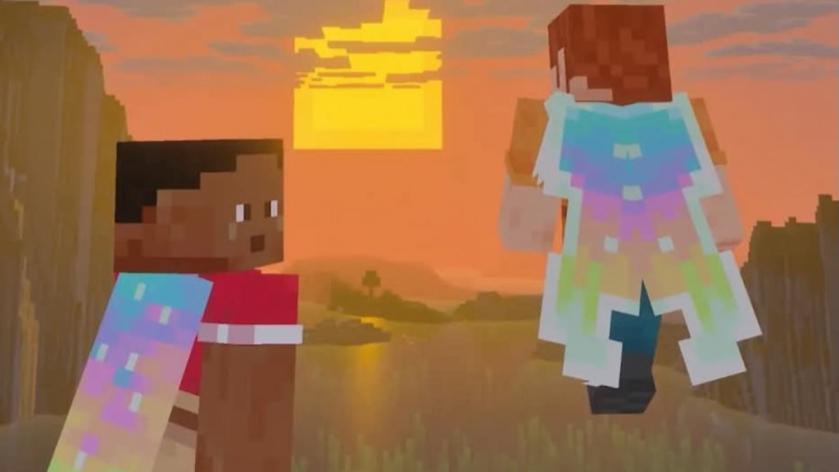
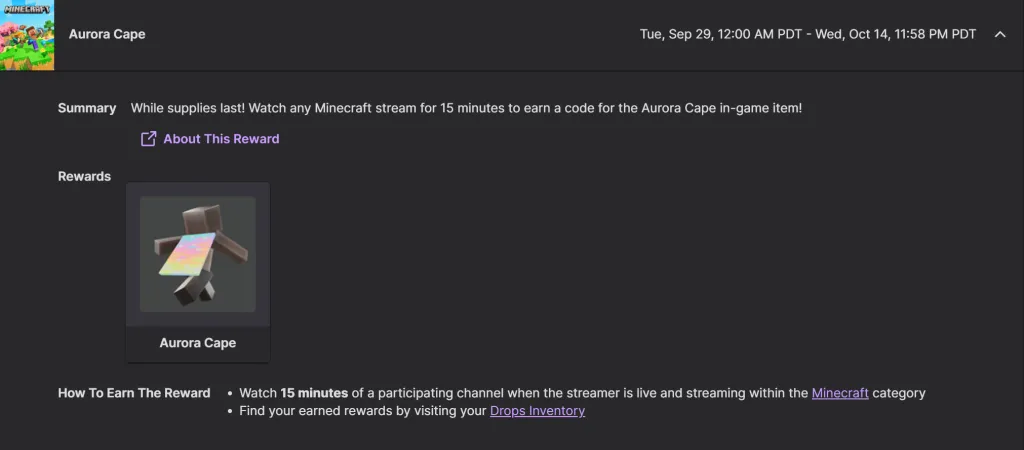
You can get the Aurora Cape in Minecraft by either watching a valid livestream on Twitch or TikTok for the required amount of time. The specifics of this process vary depending on which method you choose, so here’s a full breakdown of both options.
- On Twitch, you must watch any Twitch Partner or Affiliate streaming in the Minecraft or Minecraft Dungeons 2 category for at least 15 minutes.
- Find a livestream that has the “Drops Enabled” message on it in the Minecraft or Minecraft Dungeons 2 category.
- Watch for a total of 15 minutes. The tracker seems to be pretty finicky, and likely won’t update to show you any progress. My watch time was stuck at zero minutes the entire time, and the Aurora Cape never showed up in my Drops Inventory. Still, once 15 minutes passed, I did get a notification that I had a code available to redeem, so just be patient with it, and it should eventually pop up.
- Click on the code when you get a notification that it’s available. This will take you to the website where you can redeem it.
- Enter your unique code. Everyone gets a different code for redeeming the Aurora Cape item.
- Log in to your Microsoft account. Once the code has been entered, log in to the Microsoft account you have attached to your Minecraft account.
- Confirm you want to redeem the code. Select the confirm option on the Aurora Cape to officially claim it.
- On TikTok, you must watch Minecraft or Minecraft Dungeons 2 content on any Game Reward-enabled stream for at least three minutes.
- Visit the LIVE page on TikTok and find a creator streaming in the Minecraft or Minecraft Dungeons 2 category.
- Watch for a total of three minutes.
- Claim your code and redeem it following the same steps listed above.
Read what’s behind the latest news in gaming (with a bit of snark) by subscribing to the Destructoid Checkpoint newsletter!
How to redeem Aurora Cape code in Minecraft
Once you have your unique Aurora Cape code unlocked, you can redeem it by visiting the official redemption page for Minecraft. You must enter the code on this page, then proceed to log in to your account to unlock it.
How to find and equip Aurora Cape in Minecraft
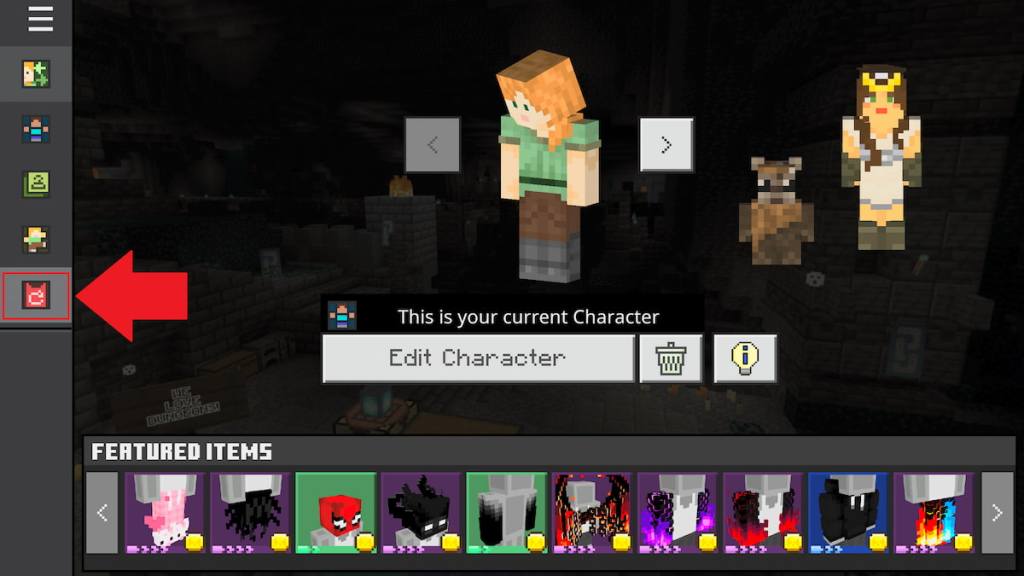
With your Aurora Cape code redeemed, you then need to load the Bedrock version of Minecraft to officially unlock it. Once you’ve loaded up Bedrock to select it, you can then switch over to Java to equip it there if desired. Here’s where to find this cape on both versions.
- On Bedrock, load into the game and select the Dressing Room option. Locate the Capes tab near the bottom left corner of this page. Find the Aurora Cape among the available options and press the Equip button near the bottom right corner to apply it.
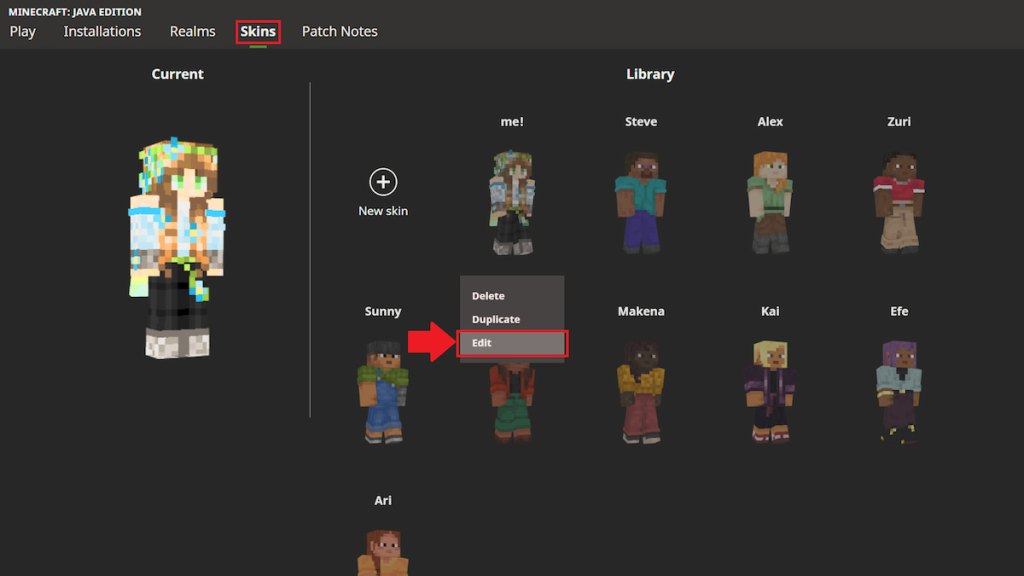
- On Java, switch over to the Skins tab while in the Minecraft Launcher. Hover over the skin you want to equip this cape on, then select the three dots option. Click on Edit and choose the Aurora Cape from the available cape options. Select the Save & Use option in the bottom right corner to equip it.
How long is the Aurora Cape available for in Minecraft?
The Aurora Cape can be unlocked anytime from Sept. 29 at 2am CT to Oct. 14 at 2am CT. You then have until Oct. 31 to actually redeem the code you earn for completing this process.
After the timeframe has ended, the Aurora Cape will no longer be available. Past capes have never come back, so once the redemption period is over, you’ll likely never be able to get it again.
There’s plenty more to tackle in Minecraft after unlocking this stylish new accessory for your character. Next, you might want to work on finding a Dappled Forest biome, getting a straw bed, learning about all Sulfur Cube archetypes and block absorption effects, and finding the Bounce music disc.


