If you’re trying to download Hytale to start playing in early access but consistently end up with an error, you’re not alone.
Hytale‘s early access went live earlier than the announced time, but there seems to be a major issue with the download. The issue appears to be worldwide as well, and here’s what you can do to potentially solve the problem.
Hytale patch download failed error fix
The error seems to happen randomly. When it happens, the download stops temporarily and freezes. Once a few minutes have passed, a message pops up that the download has failed. The major cause of this is pressure on Hytale‘s official servers.
I am unsure as to when the problems will get sorted. An official fix has yet to come from developers Hypixel. Until that happens, here’s what you can do.
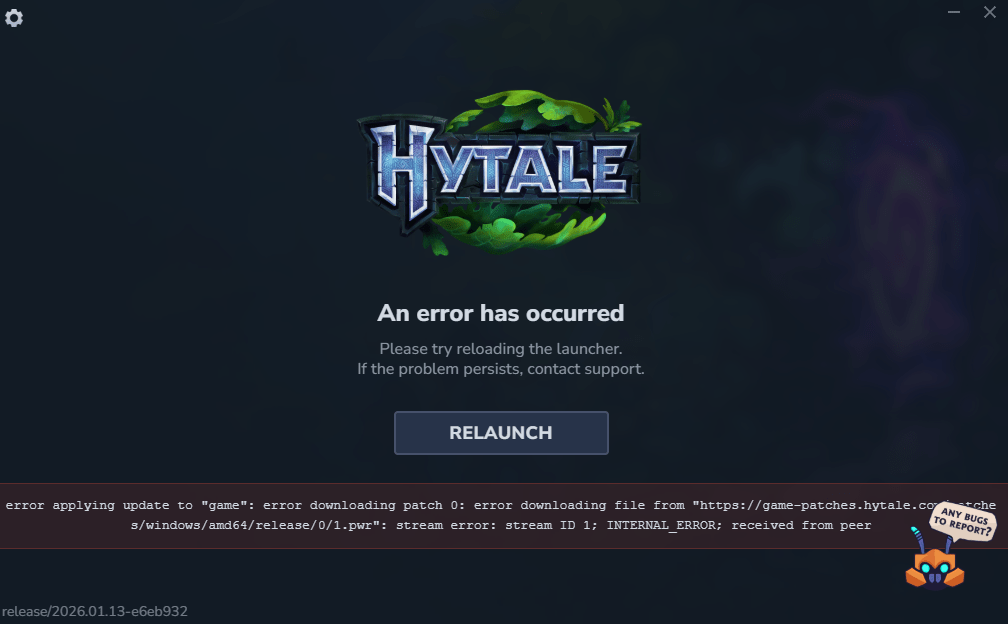
- Start the installation process from scratch. By this, I mean deleting all the downloaded files and restarting the whole process from zero. This fixed the problem from my end, but it’s a risky approach. If you get stuck in the loop, there’s no knowing when the download will complete.
- The other method could take longer, but it’s safer. Once the download halts, close the launcher completely. Relaunch it, and start the installation. It will resume from where the previous installation session ended. You’ll make slight progress by repeating the method, but you will have to do it several times.
The viable alternative is to wait until the initial wave of players has downloaded and logged in. This should ease the pressure on the servers, allowing you to complete the download process without any hassle.