


Part of the R.E.P.O. Cosmetics Update, Tax Tokens are a new currency that surely makes the Taxman richer, but it also helps the semibots stand out in the crowd.
Lining the Taxman’s pockets using taxpayers’ money from a time long forgotten, the Tax Tokens are here in abundance. There are hundreds of cosmetics waiting patiently to offer a shopping haul that’s out of this world. Forget “charge now, pay later” schemes; it’s time to go shopping. But you have to find them first. So, here’s everything you need to know about Tax Tokens in R.E.P.O.
Table of contents
Where to find Tax Tokens in R.E.P.O.
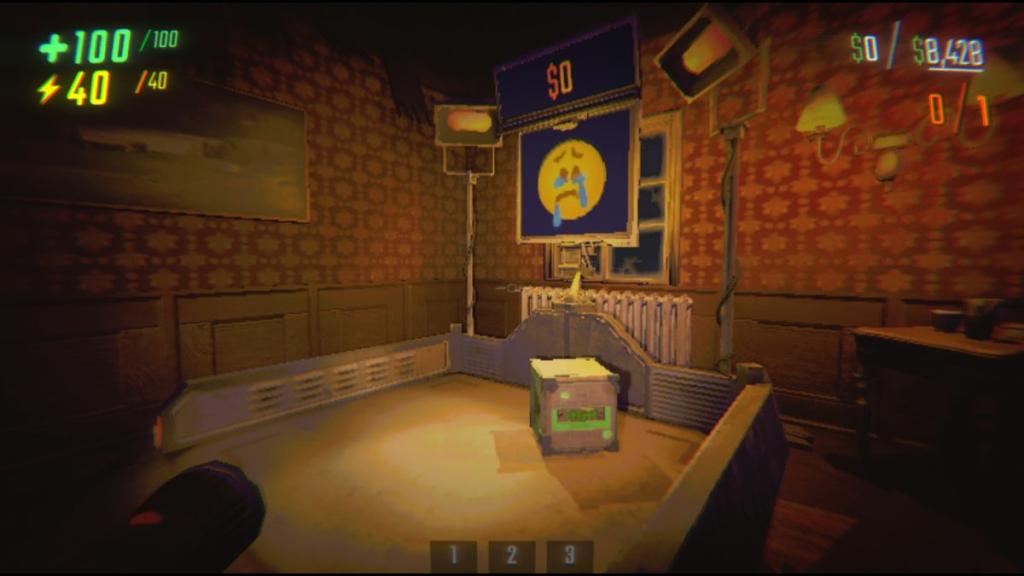
Tax Tokens do not spawn as a physical object. Rather, they are an icon that appears on the bottom-right corner of the screen but only after extracting boxes found inside levels. These have to be put on Extraction Points to convert them into Tax Tokens. One box equals one token. Boxes are separated by color and rarity:
- Green: Common
- Blue: Uncommon
- Purple: Rare
- Yellow: Legendary
There are four types of boxes you can find in each level, but the chances of finding them are rarer at the start of a new game. The quantity of boxes increases the further you get, similar to the spawn chance of monsters. Each box has a health bar on it, not too dissimilar to a semibot’s. This means you can directly transfer some of your health the same way you’d do for a friend who’s low on HP. Boxes lose health by taking fall or knockback damage. Treat a box much like you’d treat any Valuable. If the box breaks by its HP reaching zero, then the cosmetic item that was tied to it will be destroyed.
Boxes do not count as money, meaning you cannot reach the quota with these cosmetic boxes alone. Make sure all boxes you find can fit across all available Extraction Points, you will not be able to extract all Tax Tokens that come with them.
Where to use Tax Tokens?
You should see coins in the corner of your screen after extracting boxes from a level and returning to the Truck, each corresponding to the cosmetic rarity (blue, green, purple, or yellow). These carry across save files. While you should want to immediately exchange these for cosmetics, each uncommon and above token awards you with cash, too. Any accumulated but unused tokens will remain on your screen, letting you use these not only for a random cosmetic item, but for a little extra cash if you’re in desperate need of an item or saving up for something in particular. It’s just something to keep in mind so you don’t go spending your Tax Tokens all in one place.
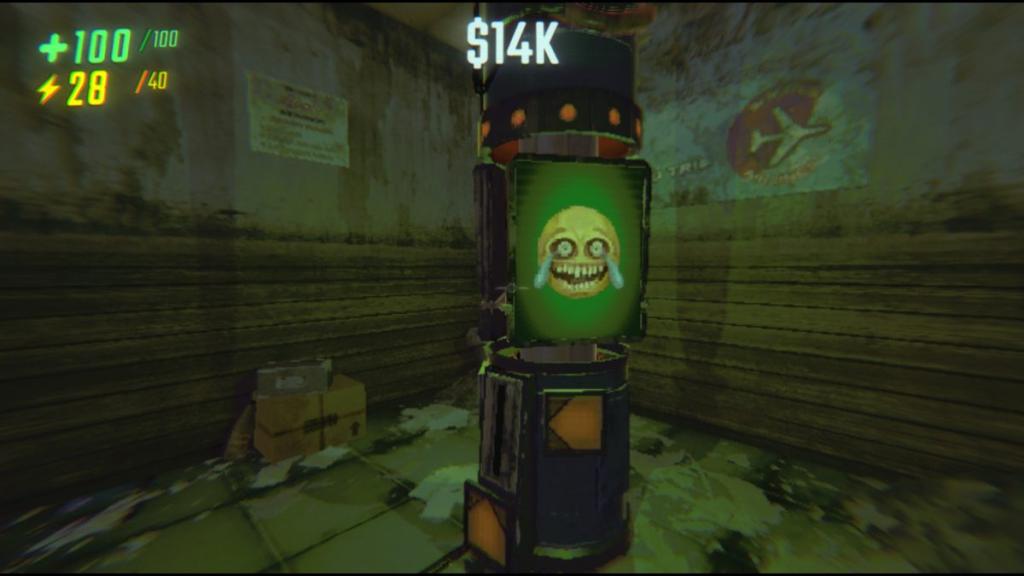
If you decide to use them, head over to the Service Station dispenser that looks like a pillar shining in a green light with the cry-laugh emoji displayed at the top of it that’s continuously spinning. Press ‘E’ to insert one token. This will reward you with one random cosmetic per use. The token has a one-time use and disappears once dispensed. Refer to the ‘Customize’ option in the menu to see what you’ve unlocked.


