


Ever since the practice caught on, I never would have expected that we’d see a selfie-stick in a Pokemon game. Well, here we are! The new Teal Mask DLC brings its own Roto-Stick into the fray in the Scarlet & Violet generation: here’s how to get your own.
How to get the selfie-stick (Roto-Stick)
First, you’ll need to actually enter the Teal Mask DLC area. Make sure you have the DLC installed, your copy of Scarlet or Violet is up to date, and that you actually bought the right version of the DLC pass (for your particular copy).
From there, boot up the DLC and listen to the immediate call from your Jacq. Head back to the academy and follow the prompts to go to Kitakami. The entire process is broken down here in this guide if you need more help.
After getting to the new zone, walk up the road and finish a quick trainer battle to unlock the ability to mount in the DLC area. Walk into the objective building in Mossui Town (the biggest structure) and talk to the caretaker/Briar. Walk into the back room to sleep for the night and continue the story.
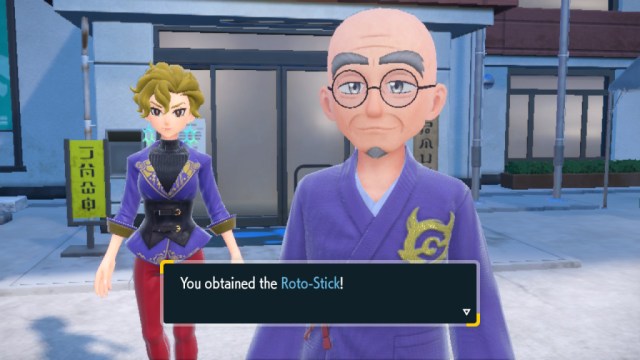
After waking up and heading outside, the caretaker will gift you the Roto-Stick, which you can use immediately.
How to take a selfie with the Roto-Stick
As a reminder, you’ll press the down d-pad button (below the left analog stick) to open the camera app. From there, you have the option to press X and use the Roto-Stick to take a selfie from farther away. Press X to put the Roto-Stick away and take a normal selfie.
We have a full camera guide here for Scarlet & Violet if you have any other issues!


