

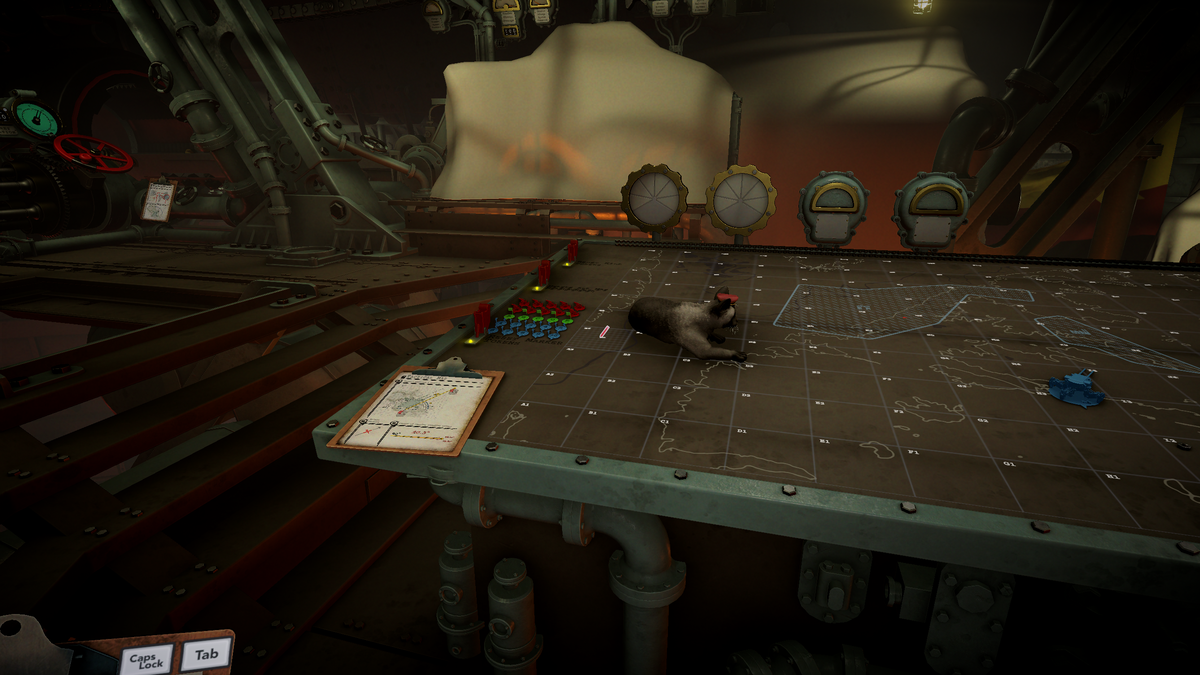
The battle against the anti-monarchists in IRON NEST: Heavy Turret Simulator might be long and hard, but you have your adorable cat to give you company. Just like you, it lives in the Iron Nest itself, but you can easily lose it if you are not careful.
Thankfully, relocating is not difficult if you know a few tricks. The game also allows us to customize the cat to make it look just how we want.
Table of contents
How to find your cat in IRON NEST: Heavy Turret Simulator
To locate your cat, the first task is to complete the initial mission. This will unlock the bed, and you will find the cat in the same room. Typically, it can roam anywhere on the lower deck, but you can choose to prevent it from appearing on the upper deck. If you decide to do so, you can prevent it from walking onto your map and accessing the upper deck.

If you lose your cat, the easy way to make it reappear is by using the cat customization menu. This menu is not just useful for finding your cat, but it also allows you to change plenty of features to your liking.
All cat customization features in IRON NEST: Heavy Turret Simulator
Here are all the customization options you have for your feline companion inside the game.
- Kitten
- General Hat
- Eye Color
- Fur Color
- Head Round
- Head Square
- Ears Round
- Ears Pointy
- Nose Wide
- Nose narrow
- Snout Up
- Snout Size
- Cheeks Pointy
- Cheeks Size
- Back Up
- Back Arch
- Belly fattiness
- Belly thinness
- Legs thinness
- Legs thickness
- Neck thinness
- Tail thickness
- Jaw size
- Pupil size
- Tired eyes

You can always pick up your cat companion to show some love. If you find it trespassing in an area it shouldn’t be in, you can also shoo it out. But why would you ever do that?


