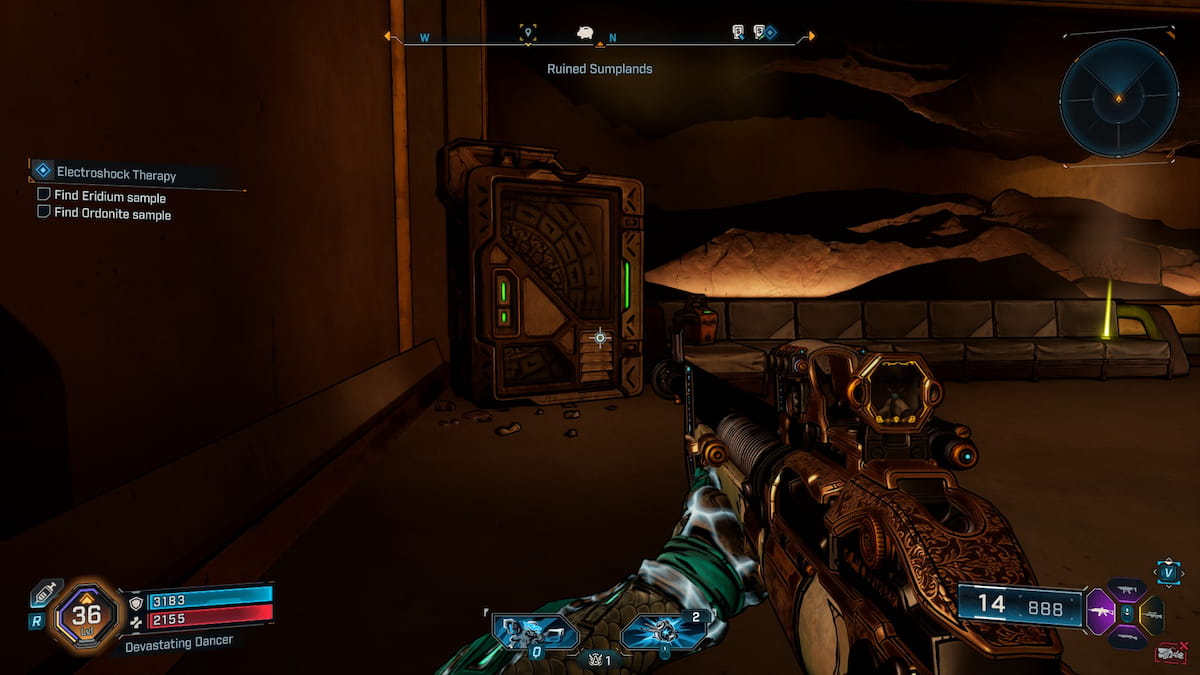
Borderlands 4 has a host of Banks of Kairos available across different regions, and you can make some hefty profits from them.
Your inventory has limited space, so you can only carry a handful of items. The Bank is your account storage where you can store items you don’t immediately need in your Backpack. You can then visit a Bank to transfer these items accordingly. But first, let’s find out where you can access them.
Table of contents
First Bank location in Borderlands 4
The first Bank of Kairos in Borderlands 4 is located in The Howl region. You’ll have to clear a fair amount of content to access it. Thankfully, missing the Bank of Kairos in The Howl is impossible, as the location is tied to the primary campaign.
You’ll unlock the Down and Outbound as part of the primary quests. As you keep completing its tasks, you’ll come across the Launchpad town in The Howl. There, you’ll notice a building with radar dishes on top. Go inside, and you’ll locate a door to access the Bank of Kairos in this region.
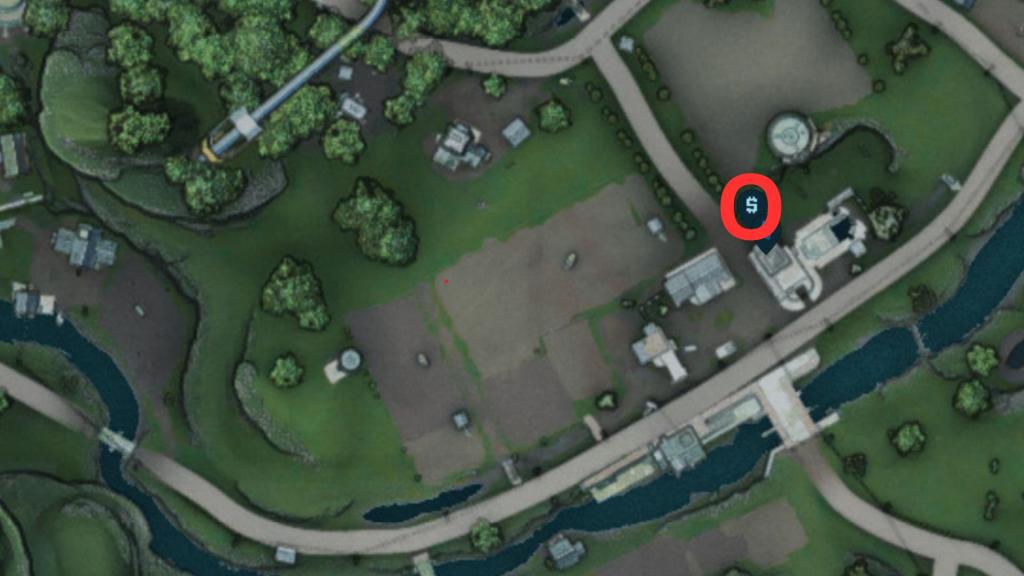
If you’re confused, travel to the location in the screenshot above. It’s hard to miss. You can also use your HUD for a bank locker icon to guide you to the Banks of Kairos.
Not all regions have a bank available, so you should keep this in mind before taking on your next mission.
All Bank of Kairos locations in Borderlands 4
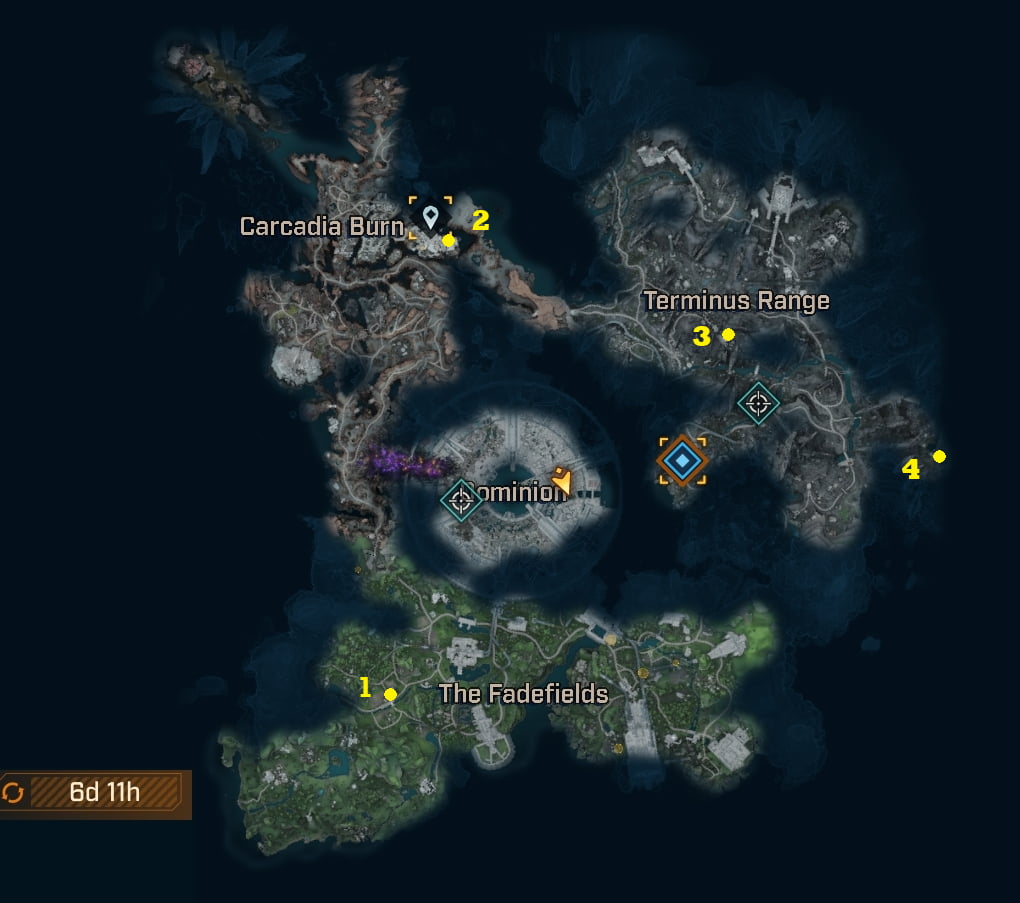
There are a total of four Banks found within Kairos, and they are all found at named town locations across the map in three of the four different main biomes.
- The Fadefields
- 1. The Howl – The Launchpad
- Carcadia Burn
- 2. Ruined Sumplands – Carcadia
- Terminus Range
- 3. The Low Leys – Belton’s Bore
- 4. Heart of the Mountain – Bones of Sanctuary
How to withdraw and deposit from Bank of Kairos in Borderlands 4
Depositing an item into your Bank is simple.
- Open your Backpack.
- Tag the items you wish to send to your Bank.
- Keep the V button pressed till the transfer is complete.
You can deposit an item into your Bank anytime, but withdrawing it is far more limited. You can only withdraw after accessing the Bank. Interestingly, all the items you sent across different builds will be available. This includes weapons you might have found with one character, but want to use with another Vault Hunter.
You can also increase your Bank inventory space with the help of SDU upgrades. This will allow you to transfer and store more items at any time.
Like our content? Set Destructoid as a Preferred Source on Google in just one step to ensure you see us more frequently in your Google searches!