


Preparation before a battle is crucial no matter what you are going to fight. The same goes for battleground experiences in Roblox, including Shonen Unleashed. So, start preparing by checking out the characters, mechanics, and much more on the official Shonen Unleashed Trello.
Shonen Unleashed Trello and Other Links
- Shonen Unleashed Trello Board
- Shonen Unleashed Discord
- Shonen Unleashed Game Link
- Shonen Unleashed Official YouTube
What Is the Shonen Unleashed Trello Link?
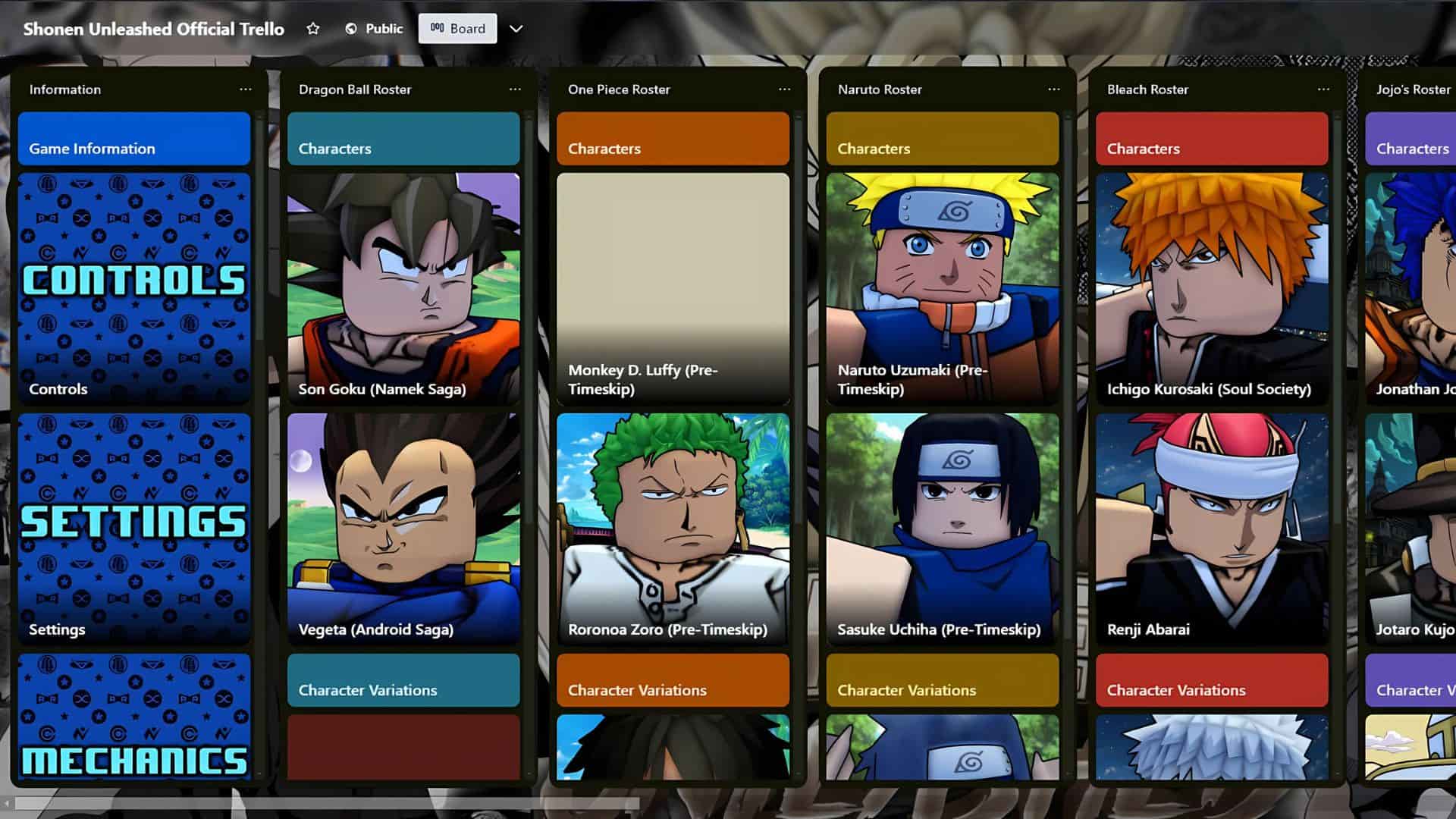
Getting up to speed with all the in-game mechanics, modes, and character kits in Shonen Unleashed is a lot easier with the info on its official Trello board. There, beginners can familiarize themselves with the basics, while more experienced players can find out how to take their game up a notch. The Trello board hosts the description of all characters and their moves in the game, as well as:
- Guides on all of the controls, mechanics, settings, character paths, and variations.
- Layouts of all the maps with their time of day variations.
- Lists of all emotes and death effects, along with the preview for most of them.
- Descriptions of the NPCs that you can find in the game.
- All the currently available character skins and titles, as well as the information on how to unlock them.
How to Search the SU Trello Quickly
The Shonen Unleashed Trello board contains information on almost everything in the game. To find specific information quickly, press F on your keyboard to open the filters menu (there is also a button in the top right). Each column on the board contains a bunch of cards with information on a specific topic. By clicking on one of the cards, you can read more about the subject they cover.
What is the Shonen Unleashed Discord?
By joining the Shonen Unleashed Discord, you can stay up to date with new content by visiting the #announcements and #sneek-peeks channels. If you want to help the developers, check out #balance-polls and #suggestions. The Discord also has numerous community channels where you can talk with others about the game and various other topics.
How to Search the SU Discord Quickly
Unlike Trello, which you can access as a guest, to enter the Shonen Unleashed Discord, you’ll need to make an account and download the Discord app to one of your devices. You can also use the web version of Discord. To get full access to all the channels, you will have to verify your Discord account.
If you want to search for specific information, press Ctrl + F or click on Search at the top right. You can also use advanced search queries such as has:image or has:link to find messages containing images, links, etc.
I hope the Trello and the Discord we linked above help you out in your SU journey. If you want to explore more of our guides on SU, make sure to check out the Shonen Unleashed guides section of Destructoid.


