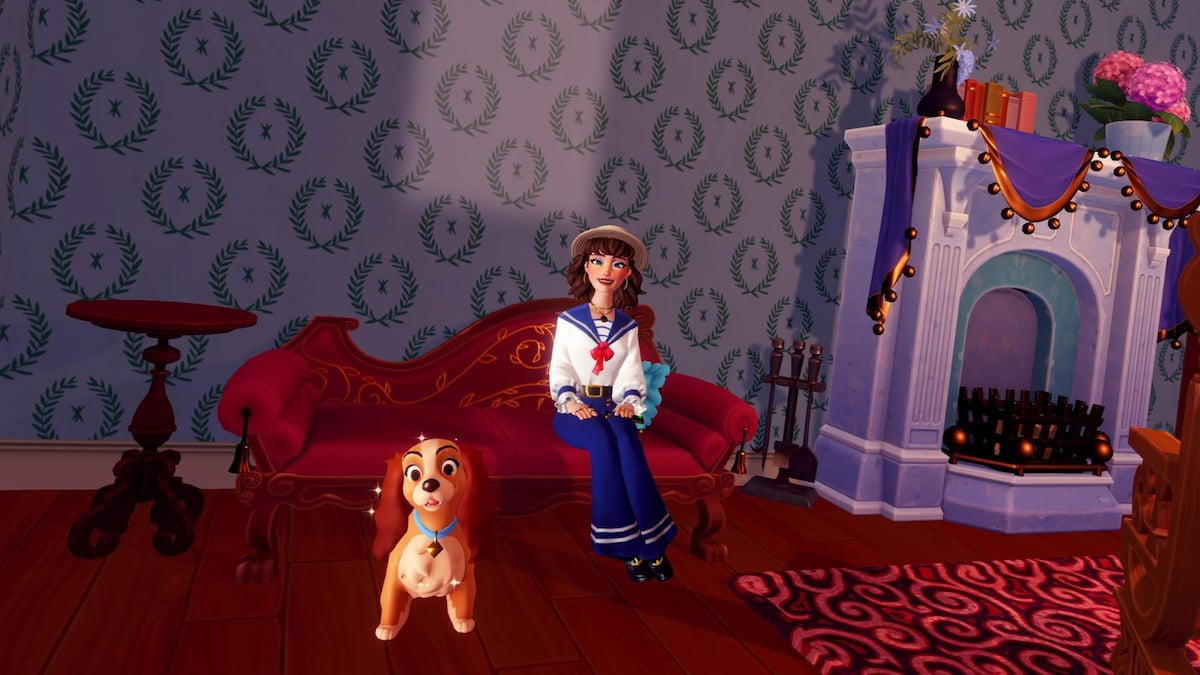
Lady and Tramp are quite content with their new life in the village, but their home could use a bit of help in Disney Dreamlight Valley. This doggy duo is hoping for some additional decor to make the place truly feel like home, and you’ll need to tackle the Portrait of a Lady quest to help them.
You have to go on a couple of scavenger hunts for the items they want, do some crafting, and seek help from others to get through this one. It’s certainly a pretty daunting task to tackle on your own, so here’s a complete walkthrough for the Portrait of a Lady quest in Disney Dreamlight Valley.
Table of contents
- How to complete Portrait of a Lady in Disney Dreamlight Valley
- Find the Posh Furniture in the Lady and the Tramp Realm
- Place the Posh Furniture in the photo shoot setup
- Ask around about items for the photo shoot
- Find all the items for the photo shoot
- Gather materials to repair the Antique Camera and the Spotlights
- Repair the photography supplies at a Crafting Station
- Place the Antique Camera and Spotlights near the photo shoot setup
- Place the Lady and Tramp Portrait Photo Shoot
- Place the Canine Family Portrait on a wall in Lady and Tramp’s House
How to complete Portrait of a Lady in Disney Dreamlight Valley
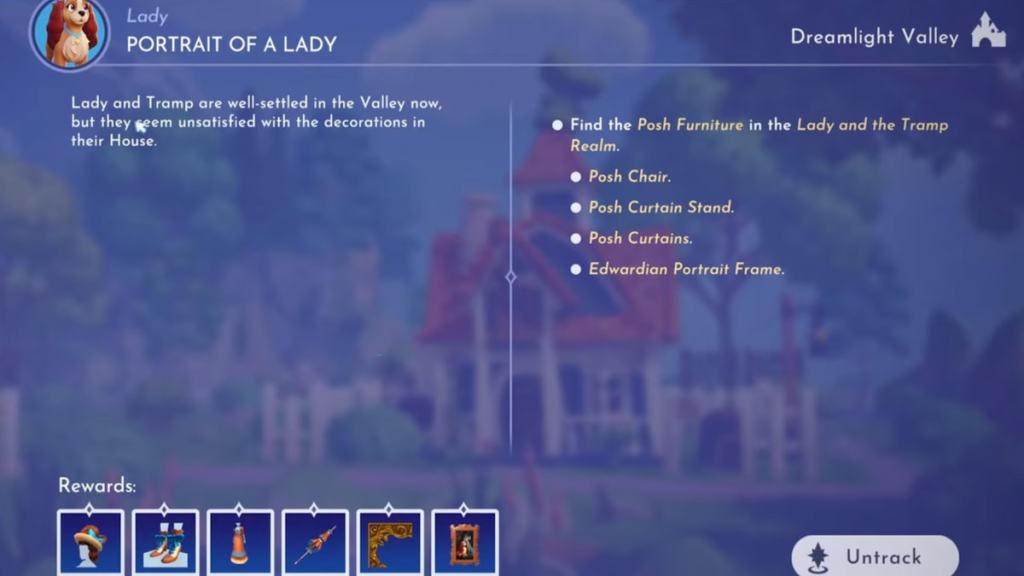
Find the Posh Furniture in the Lady and the Tramp Realm
Your first task is to locate four Posh Furniture items from around the Lady and the Tramp Realm. This is one of the toughest parts of the quest, as the Realm is fairly large and dark, so finding each one can be tricky. Here’s what you need to find and where to look for each item.
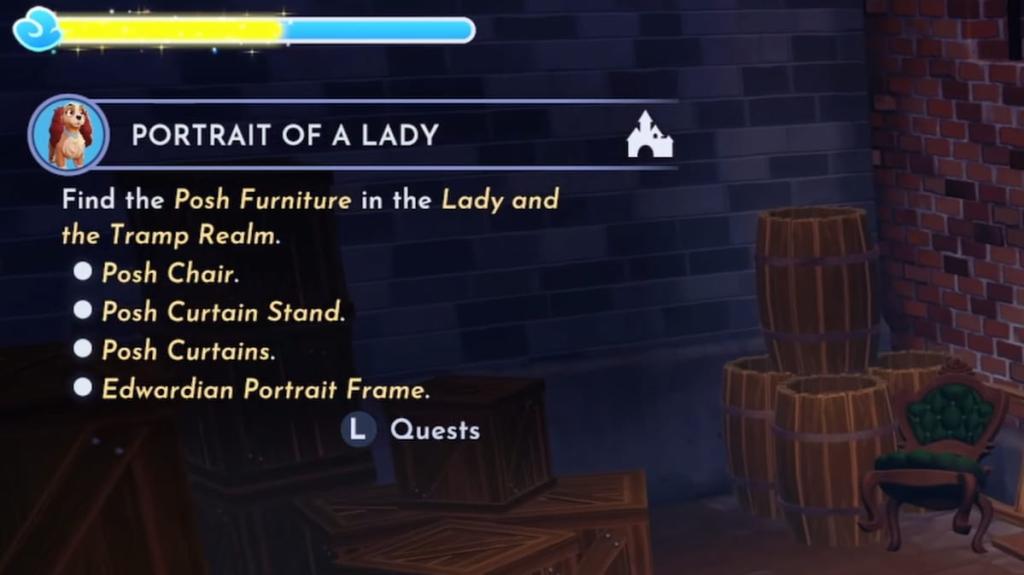
- Posh Chair – Turn right just after entering the Realm to enter the alley area behind the white fence. Head back to the corner to find the Posh Chair leaning up against some barrels.
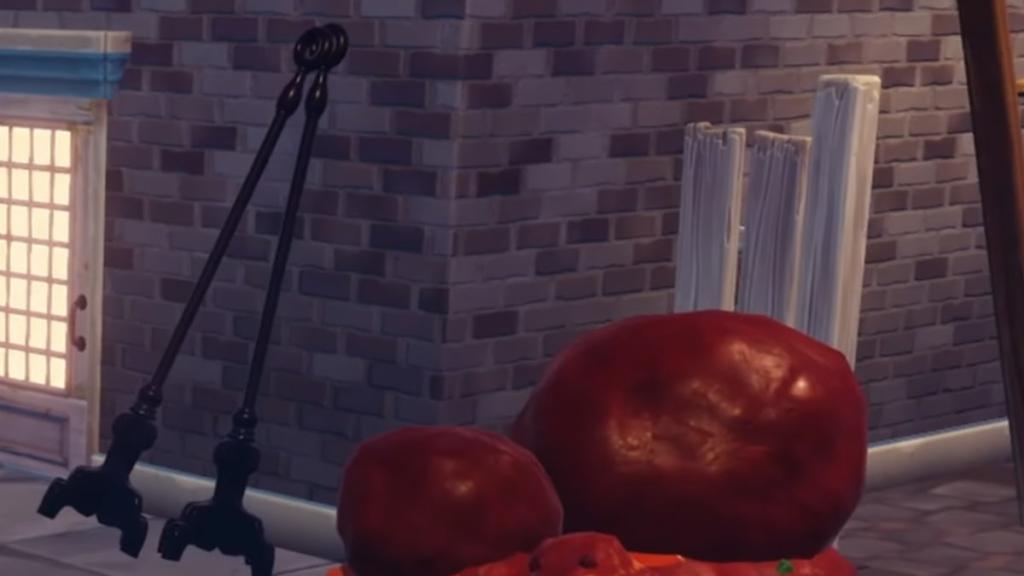
- Posh Curtain Stand – From the Realm entrance, walk straight to the end of the alley. Make a sharp right at the end and look at the wall right on the other side to spot the Curtain Stand leaning up against it.
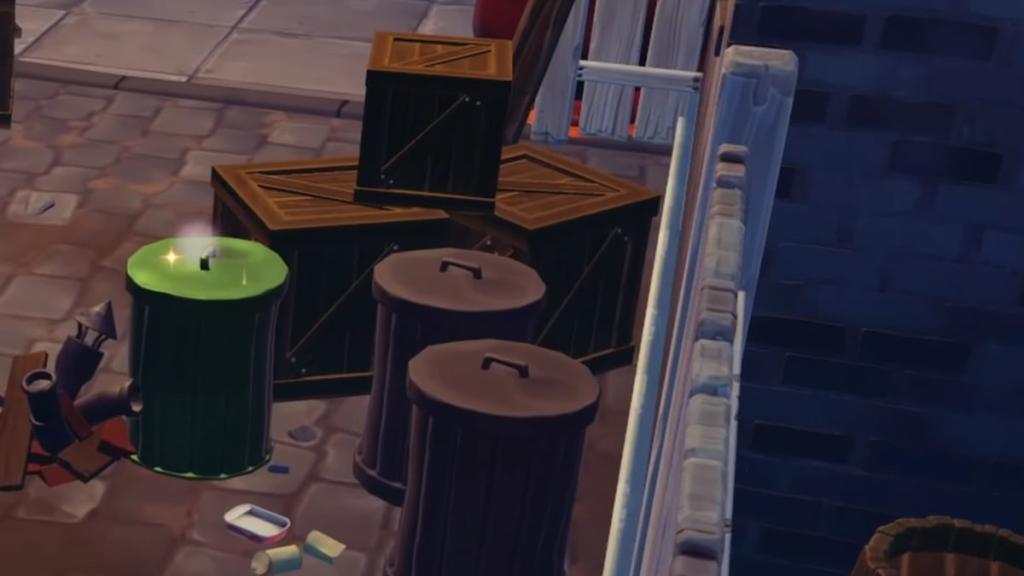
- Posh Curtains – Walk straight ahead upon exiting the Realm entrance. Just before you reach the end of the alley, look right to spot a sparkling green trash can. Interact with it to open it and claim the Posh Curtains from inside.
- Edwardian Portrait Frame – From the Realm entrance, walk forward a few feet, then turn right. Look to your left to find a crafting station. The Edwardian Portrait Frame is leaning up against two barrels right next to it. This is also the same alley area where you may have already found the Posh Chair.

Place the Posh Furniture in the photo shoot setup
With all four items gathered from the Lady and the Tramp Realm, head back to the valley, then venture to Lady’s house to chat with her. Then, walk over to the rug area in front of the fireplace and interact with the sparkling spot to place the three Posh Furniture items you found. The Edwardian Portrait Frame isn’t posh, so hang onto it for now.
Chat with Lady once the furniture has been placed to see what she thinks of it. Things aren’t looking quite right for the photo shoot just yet, so you now need to seek out some additional items to make it really pop.
Ask around about items for the photo shoot
Exit Lady and Tramp’s house, then meet up with Joy, Alice, and Goofy to ask each villager for items that can be used in the photo shoot. All three characters have some useful items, but they’ve lost them, so you have to embark on another scavenger hunt to recover them.
Find all the items for the photo shoot
It’s now time to find all the items for the photo shoot. They’re hidden all around the valley, so here’s what you need to gather and where to go searching for all of it.
- Four Broken Photo Shoot Spotlights stuck in rocks in the Vitalys Mines. The entrance to the Vitalys Mines can be found near the northern edge of the river that runs through the Sunlit Plateau biome. Once you’re inside, look left to find two rocks you can break. Then, turn slightly right and walk forward a few feet to find the other two. After mining all four, you’ll have the four Broken Photo Shoot Spotlights you need.
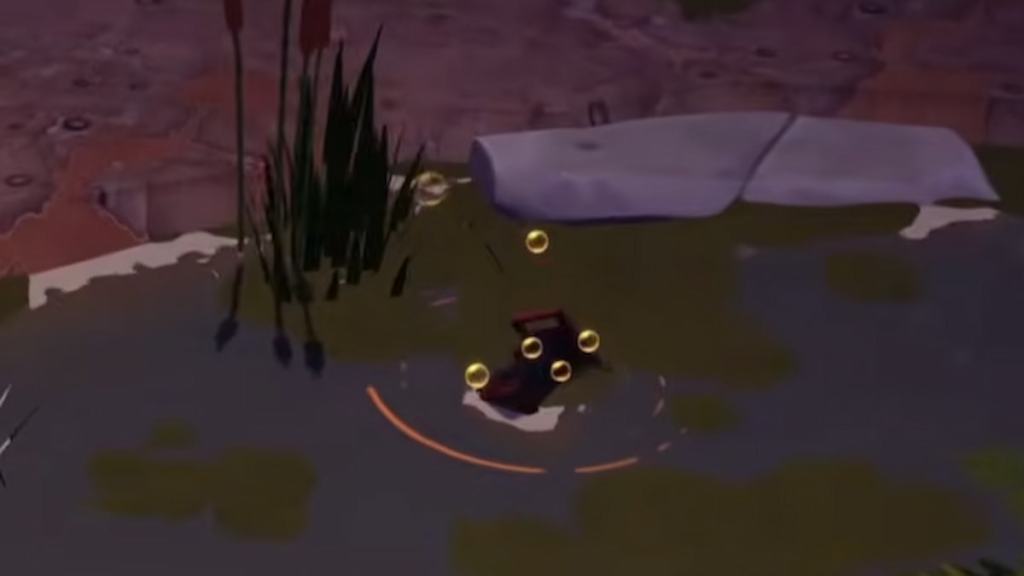
- One Broken Antique Camera in the Glade’s river. Head over to the Glade of Trust biome. Then, search around the river that runs through the middle of this area for a golden ripple spot with a red Broken Antique Camera sticking up out of it. The exact spawn spot for this item varies for all players, but it will always appear somewhere in this river.
- One Antique Camera Lens in Mickey’s secret room in the Dream Castle. Enter the Dream Castle, then turn right and walk past the potted plants to find the entrance to Mickey’s secret room. Inside, walk forward to the back of the first room, then look left to find the Antique Camera Lens sitting on the ground in front of the table.
Gather materials to repair the Antique Camera and the Spotlights
Two of the items you found are broken, so you now need to obtain the required supplies to fix them.
- Five Tinkering Parts – Can be crafted using two Iron Ingots.
- Three Hardwood – Can be found on the ground near trees around the Forest of Valor, Glade of Trust, Sunlit Plateau, and Frosted Heights biomes. If you have the Wishblossom Ranch DLC, it also spawns around Pixie Acres. Kristoff also sometimes sells it at his stall, and you can remove tree stumps with your Royal Shovel to obtain some.
- Four Glass – Can be crafted using five Sand and one Coal Ore. Kristoff’s stall also sometimes has Glass available for purchase.
Repair the photography supplies at a Crafting Station
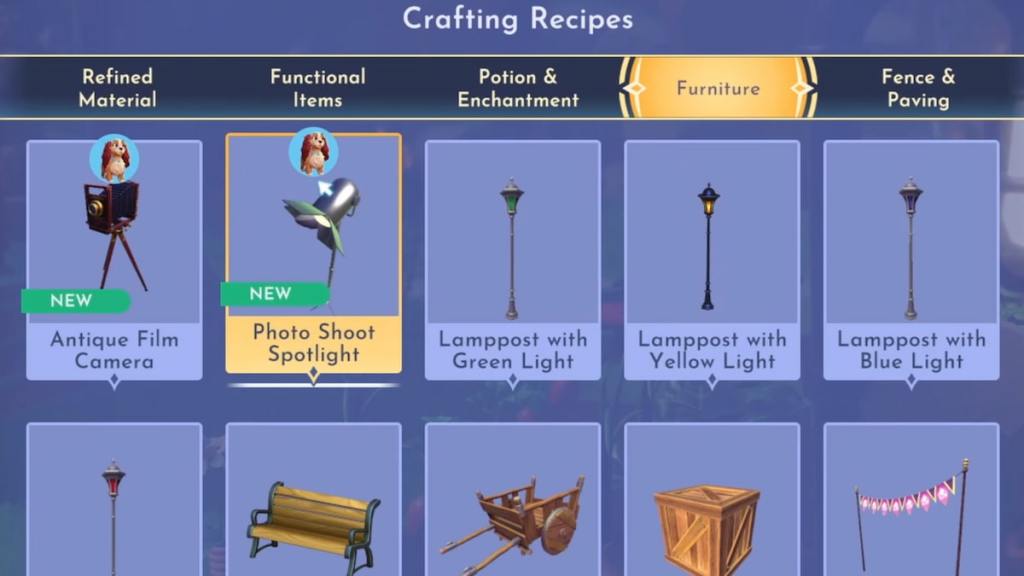
Once you have the required materials, head to a crafting station. Then, switch over to the Furniture tab and select the Antique Film Camera and Photo Shoot Spotlight items to make. Now that they’re crafted, meet Lady back at her house.
Place the Antique Camera and Spotlights near the photo shoot setup
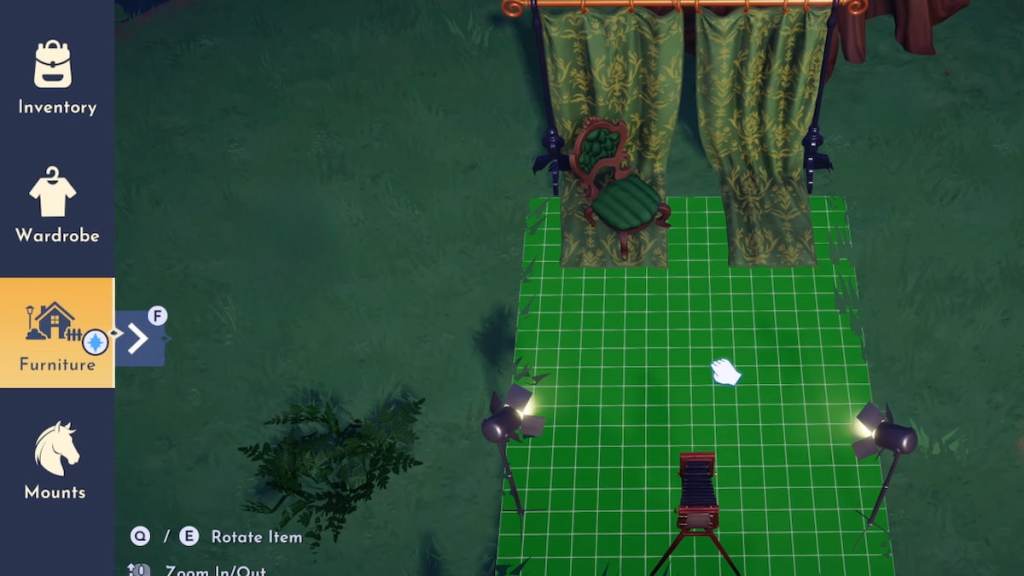
Inside Lady’s house, approach the sparkling area in front of the fireplace, which is the same region where you previously placed the Posh Furniture. Interact with it to place the Antique Camera and Photo Shoot Spotlights. Then, chat with Lady to start the portrait shoot.
Place the Lady and Tramp Portrait Photo Shoot
Exit Lady and Tramp’s house, open Furniture mode, select Lady’s quest icon, and place the Lady and Tramp Portrait Photo Shoot item anywhere in the valley. Then, snap a picture with Lady and Tramp, and talk to Lady to see what she thinks.
Place the Canine Family Portrait on a wall in Lady and Tramp’s House
Now that you’ve got a stunning new picture for the iconic doggy duo, interact with the wall to the left of the fireplace. Transfer the Canine Family Portrait to hang up the picture of Lady and Tramp. Then, chat with Lady to see what she thinks. As soon as you do, the Portrait of a Lady quest will be complete.