

Marathon‘s server slam has officially begun. However, some players on Steam are experiencing a critical error that is preventing them from even downloading the game. The “connection time out” error, as it appears on Steam, is blocking any attempts at installation, so here is what you can do to fix it.
Marathon ‘Connection time out’ Steam error, explained
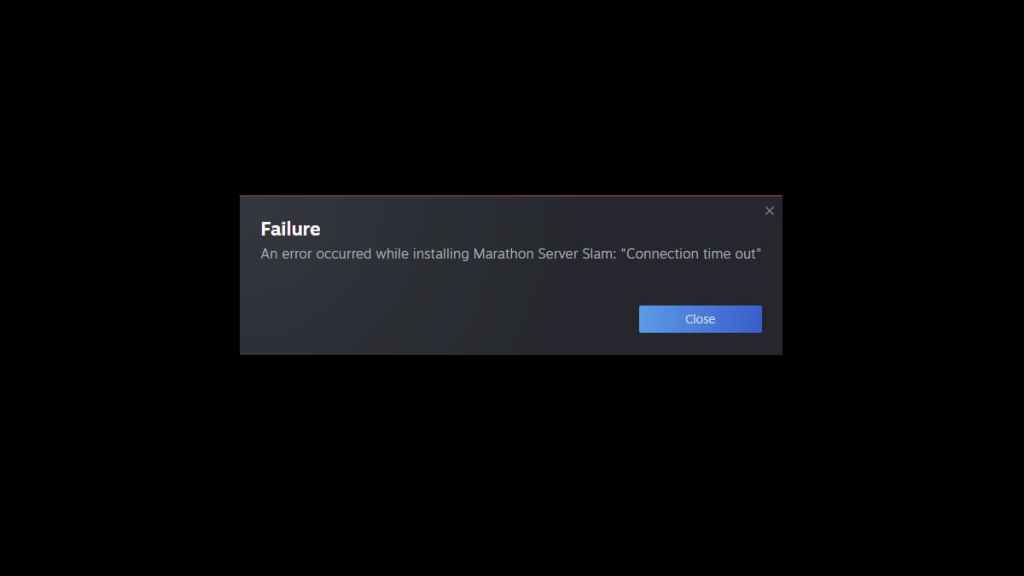
When trying to download the Marathon server slam on Steam, you will probably be met with the “An error occurred while installing Marathon server slam: ‘Connection time out'” message, which is caused by increased traffic and tons of players attempting to download the game at the same time.
To fix the issue, you have two options:
- First, add the game to your library before trying to download it. This will refresh the Steam store page and enable you to retry the download query by pressing “Download” for a second time. This has worked for some players, likely because the store page is bugging out amid increased server traffic.
- Second, if that does not work, you should restart Steam and run it as an administrator. Refreshing the entire platform in this way could get rid of the bug, allowing you to start downloading the game. If all else fails, just keep refreshing the Steam store page and trying to download the game; it will work after a few attempts as the query is successfully processed for you and, likely, tens of thousands of others who are pressing “Download” at the same time.
No matter what, it will eventually start downloading for you. There will likely be a queue once you do get in, leading to more waiting. So, be patient, we’re all going to Tau Ceti very soon.


