


In Pokopia, gathering and storing items is quite an essential task, which oftentimes leads to lots of storage confusion, as regular chests don’t link up. Luckily, Bubbly Basin introduced a powerful new mechanic to combat this issue, which is the Portal Pod.
Since this contraption wasn’t around at the start, there’s a decent chance you may not know how it works or what you need to do to get your hands on this machine. The sooner you can add this item to your collection, the easier the gameplay process becomes, so here’s how to find and use a Portal Pod in Pokopia.
Table of contents
What does the Portal Pod do in Pokopia?
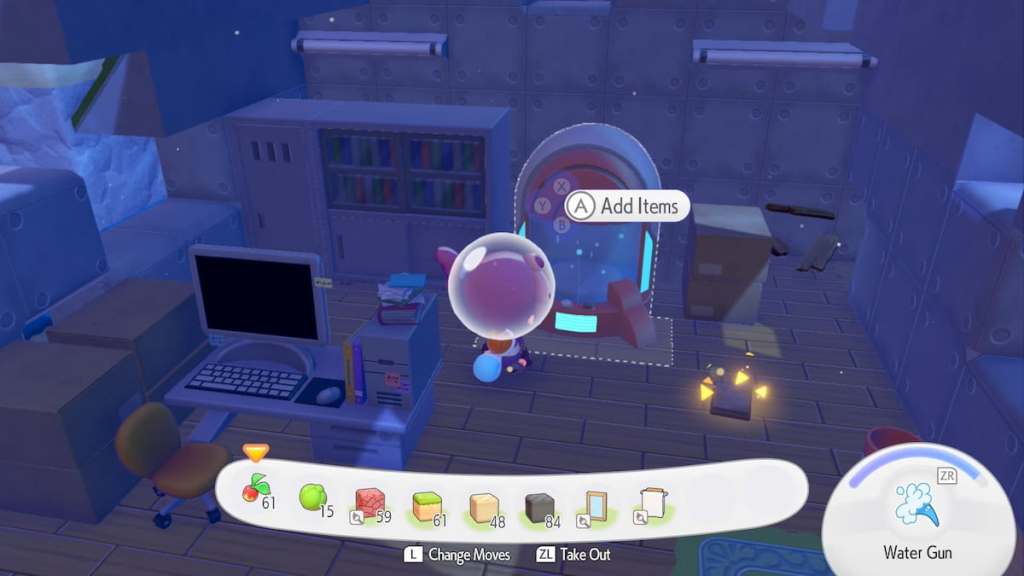
The Portal Pod is a linked storage machine, which means you can access the same areas stored inside it from any region in Pokopia. To use a Portal Pod as intended, you must have at least two of them, as it otherwise functions like just a standard large chest.
How to get Portal Pod in Pokopia
There are a few different ways to get your hands on a Portal Pod in Pokopia. All methods we’ve uncovered for unlocking this key item are as follows.
- Generally, the easiest way to get your hands on this item is to find it out in the world while exploring. There are two spots in Bubbly Basin where you can grab Portal Pods, which is all you need to start using this item.
- If you or a friend has a Portal Pod, you can place it, take a picture with it, head inside a Pokémon Center, and interact with the machine on the left side of the room. Select the “Make copy” option and spend five rare Pokémetal Ingots to generate a copy. You can repeat this process as much as you like to acquire additional Portal Pods.
- Raising the environment level in Palette Town eventually allows you to buy the Portal Pod recipe from the shop. It costs 3,000 Coins.
Pokopia Portal Pod map location
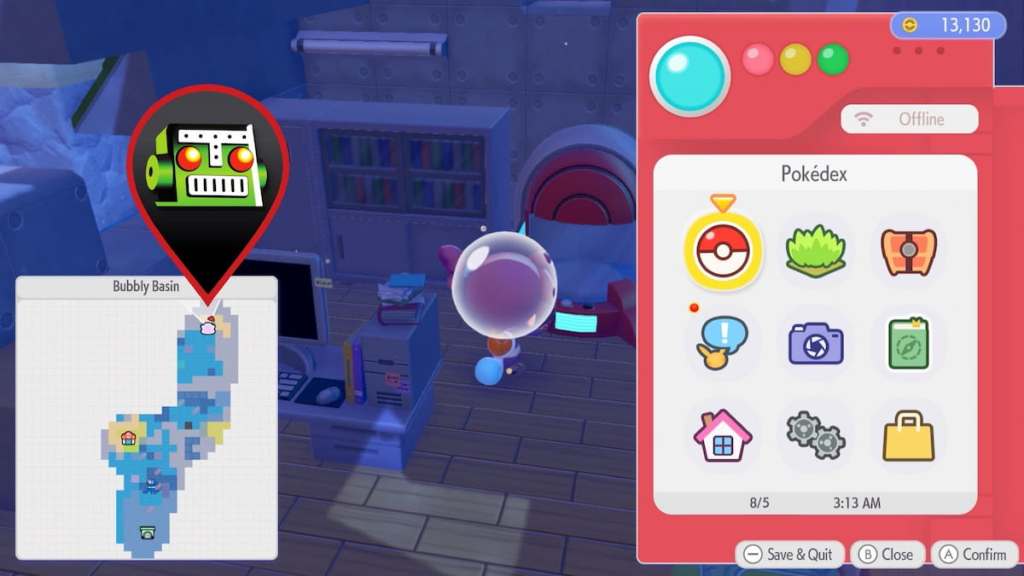
There are two Portal Pods located near the very upper northeast corner of the Bubbly Basin region. Once you’ve unlocked Bubbly Basin, make your way northeast until you find a small, underwater building. You’re looking for a white and brown house with a green roof and door.
Head inside this building to find the first Portal Pod sitting near the back wall in the middle of the room. Then, walk around to the back of this Portal Pod to find a secret staircase. Proceed downstairs and look left to find a red Poké Ball in the corner with a computer and desk space. Interact with this Poké Ball to receive a second Portal Pod.
How to use Portal Pod in Pokopia
To make use of the true functionality of a Portal Pod, you need at least two of them. Once you have two, place each one down anywhere you like. Then, interact with one to store an item. Head over to the other Portal Pod to see that the item you stored is available for pickup there, too.
You can place as many Portal Pods as you like to make use of connected storage across all regions you can explore in Pokopia. This makes it much easier to obtain quick and easy access to key items you need everywhere, as standard storage methods aren’t connected, so you instead have to travel between worlds to grab what you need from all your different chests.
Now that you have a way to efficiently store items as you explore, you may want to start setting up all Bubbly Basin Habitats so you can get to work finding all Bubbly Basin Pokémon.


