


As someone who grew up around older video games, I frequently find myself revisiting many of them. Whether it’s a title from a bygone era or a relatively recent game that made a splash in the last decade, I simply love engaging with experiences that paved the way for modern gaming.
And boy was it a painful pavement, chiefly because almost all of these older games contain no borderless mode, and those that do fail so spectacularly at it that they might as well not be considered borderless at all.
I was spurred to write about this by my recent experiences with Dishonored 1 and 2. Both of these games suffer from incredible engine-level resolution problems, with the first one only having an exclusive fullscreen and a proper windowed mode, with no borderless on offer.
This meant that every time I wanted to change the resolution, the game would go batshit on my screen and stretch this way and that before settling on something that isn’t even remotely close to what I had chosen in the settings.

Blur, the image spreading on two screens, and my PC losing its mind every time I wanted to alt-tab as the ADHD-riddled brainlet that I am were the norm while playing Arkane’s otherwise masterfully-made title. The sequel wasn’t much different either, despite nominally offering a “borderless” function.
That game has some notoriously bad anti-aliasing, especially for the day. If you toggle TXAA, the game becomes significantly blurred and introduces input lag that is really not pretty to experience in a first-person game. Turning it off makes the image and the colors really pop, and I must say it’s by far one of the most beautiful games I’ve ever played, but that comes at a major cost: jagged edges are everywhere, and one simply cannot force oneself to pay them no heed.
To fix this in most games that have proper fullscreen and borderless functions, I’d need to use virtual super resolution and bump it up to 4K internally, but Dishonored 2 doesn’t want to let me do that. Its improper fullscreen implementation means running in 4K just zooms the image in significantly, and toggling borderless spreads the image across both of my screens, not to mention every resolution change taking over 30 seconds to settle (usually incorrectly).
This is in stark contrast to modern video games, most of which now have borderless fullscreen on by default, allowing for the smooth transition between windows as well as for the game to run at a proper internal resolution without things going awry each time you want to change it.
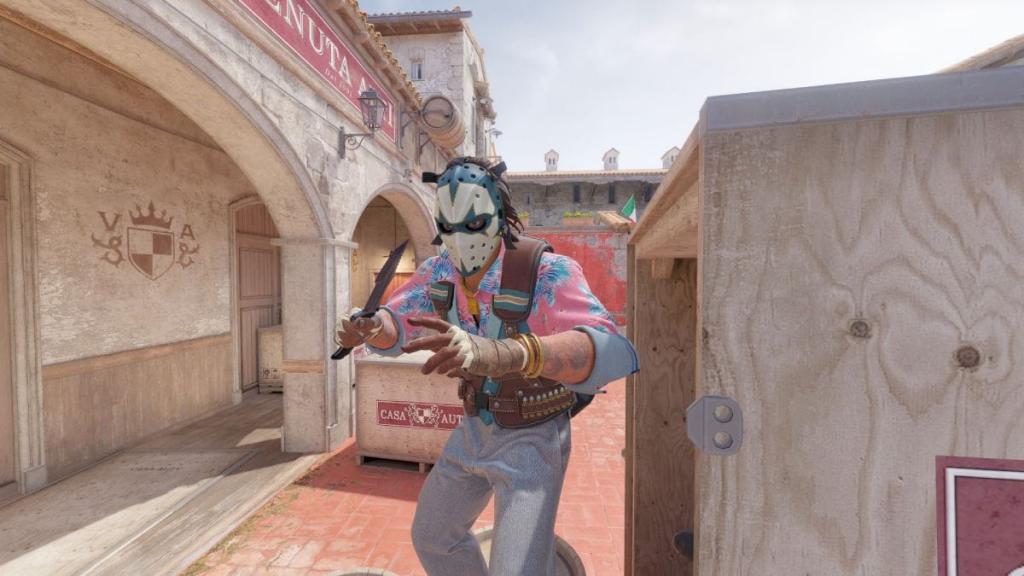
Here I have to point out the most advanced game, Counter-Strike 2. No matter the internal resolution you’re running the game at, it still maintains a borderless windowed system, meaning that even if I want to play at a stretched 4:3 resolution, CS2 will oblige me but won’t force me into having to endure a resolution-switching mess when I tab out of the game.
Crimson Desert is another great recent example where I played it with internal 4K on a 2K monitor with no issues with the screen spilling over to my second monitor. Dota 2, The Witcher 3: Wild Hunt, Pragmata, and Resident Evil Requiem are just a few I played this year where, again, I had no trouble with handling alt-tabbing and resolution scaling.
We’ve come so far with this mode that I really cannot bear to play games without it and have to use tools like Borderless Gaming, among others, to make those old experiences that much more pleasant, even if the games themselves are quite literally masterpieces in terms of design, art, writing and more.


