


In a game that draws inspiration and is as deep as Deepwoken and TYPE://SOUL, without some preparation, you will quickly find yourself back in the character creation menu. Thankfully, you can find all the info you need to start out your journey through the official NINJA Trello board link below.
NINJA Trello Link and Other Socials
What is The NINJA Trello Board?
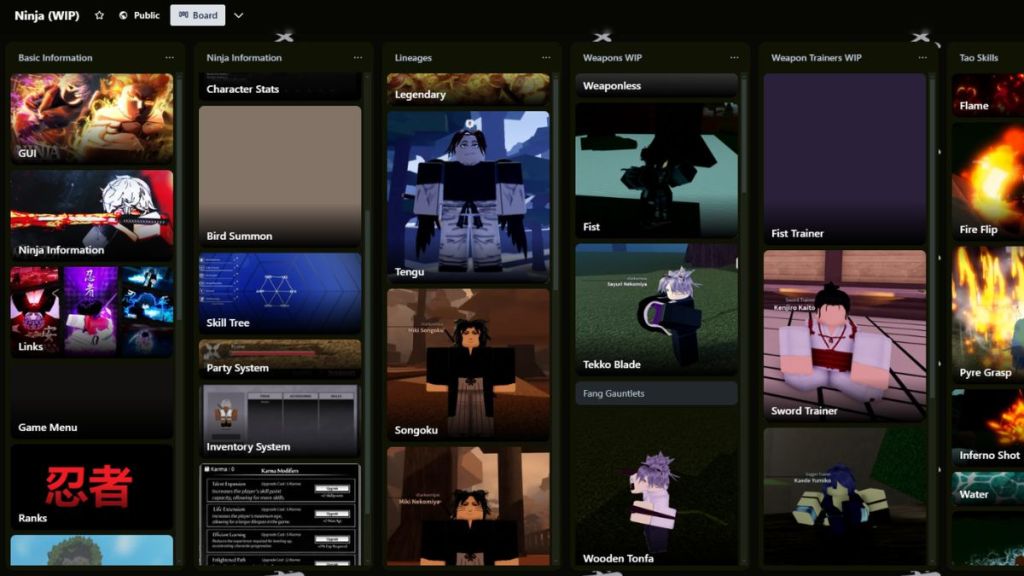
The NINJA Trello board stores information on basically everything currently in the game. Among other things, you can find out more about:
- Character creation options such as lineages.
- Various in-game systems like the skill tree, the bird summon, and the party matchmaking.
- Weapons and weapon trainers needed to get proficient with them.
- The Tao trainers that you need in order for your abilities to improve.
- Stat trainers that help you improve the abilities that are tied to your stats.
- The Ninja Vows, which shape your playstyle.
What is The NINJA Discord?
If you are looking for more answers to your questions, or you just want to socialize with the rest of the NINJA community, then you will want to visit the official Discord server. You can also stay up to date with all of the new sneak peeks by checking out the #announcements, #sneaks, and #updates channels.
How to Best Search NINJA Trello and Discord
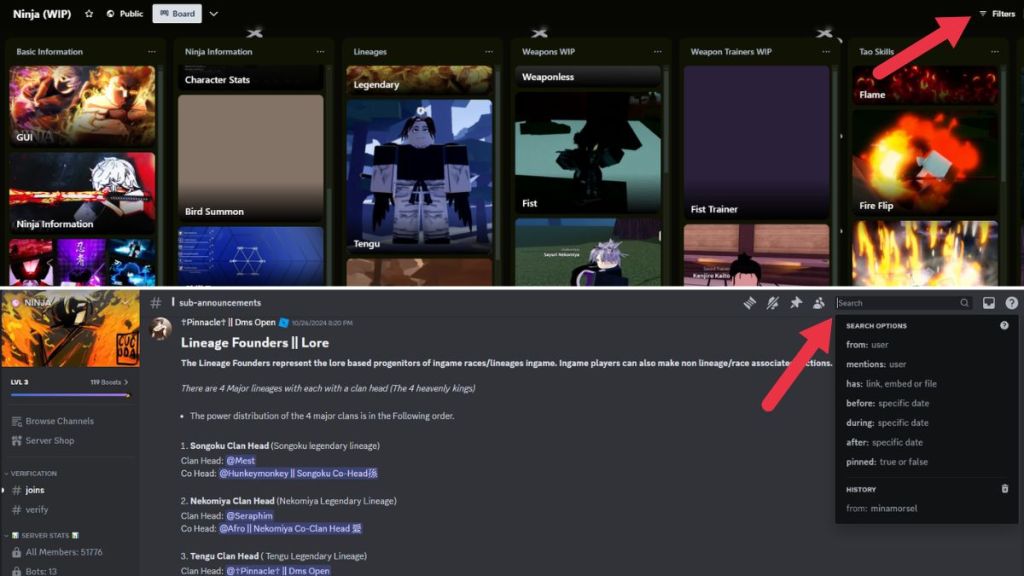
Both the NINJA Trello board and the Discord server house so much information that you might even find them a bit difficult to navigate. To search the Trello board, use the Filter button in the upper-right corner to search for specific keywords. And for Discord, here are some useful prefixes you can use to narrow your search:
| Prefix | Use | Prefix | Use |
|---|---|---|---|
| in: channel-name | Use to search specific channels like the #questions one (in: questions). | before: date | Look for messages that were sent before a specific date. |
| from: username | Search for messages from a specific user. | after: date | Use to find messages that were sent after a certain date. |
| has: image | Find all the messages that contain images. | pinned: true | Find all messages that are pinned on the server. |
You can also combine all of these prefixes to make up more complex searches. For example, to find all messages that have an image in the #announcements channel, use: in: announcements has: image.
And that’s it for our NINJA Trello Link guide. If you need more information about some other Roblox titles you play, then feel free to check out the Roblox section of Destructoid.


