


2XKO is now available in early access on PC, and the 2001 Failed to log in error has popped up for many players around the globe (myself included).
If you have played the beta recently, this error code will be familiar. It pops up whenever your connection with the server can’t be established. Thankfully, there are some easy fixes to the solution, which can also resolve itself.
How to solve the 2XKO-2001 Failed to log in error code
The 2001 Failed to log in error code is a signal that the game is failing to connect you to the server. 2XKO has a single-player mode, but you’ll have to be connected to the server. All game modes will be unavailable if the connection can’t be established.
As of Oct. 7, the main problem appears to be the server load. While there are no traditional queues to bother with, many players are trying to log in at the same time, which is possibly causing the problem.
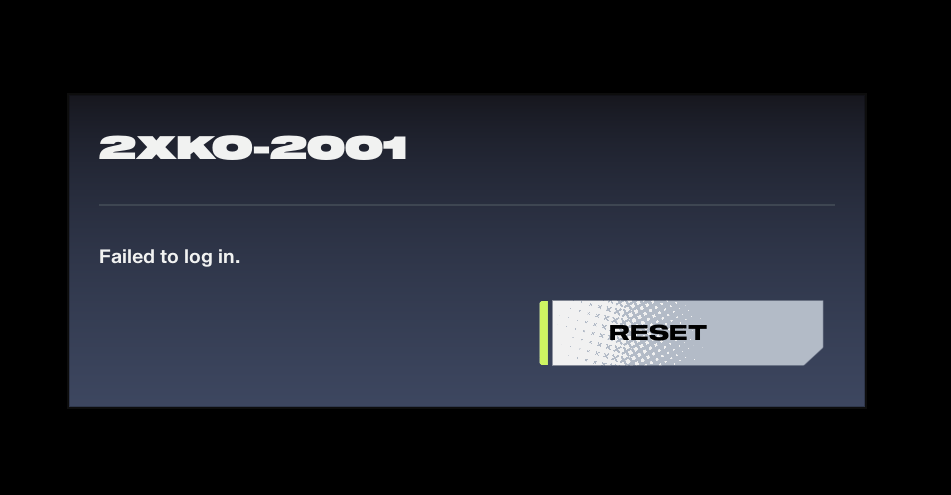
The error code should disappear on its own, but here are some solutions to try in the meantime.
- Restart the Riot launcher by exiting from the taskbar. Sometimes, the launcher can be the cause of the problem.
- While you might be excited to try out 2XKO, waiting could solve the problem. Once the initial wave of players has signed in, you should be able to avoid the error code.
- Retrying when the error pops up will force the server to re-establish your connection. If the problem continues, try restarting the game once and repeating the process.
If you don’t have internet connection issues, the server load is likely high. If none of the solutions I mentioned work, it’s best to just wait for the time being and attempt to play a few hours later.
Like our content? Set Destructoid as a Preferred Source on Google in just one step to ensure you see us more frequently in your Google searches!


